
Quale attività vuoi creare?


How to setup Firebase database for enabling chat in your ChatRoom?
Follow below mentioned steps to easily setup Firebase database:
Step 1 : Go to Firebase
Step 2 : If you have a Firebase account, Signin, else Signup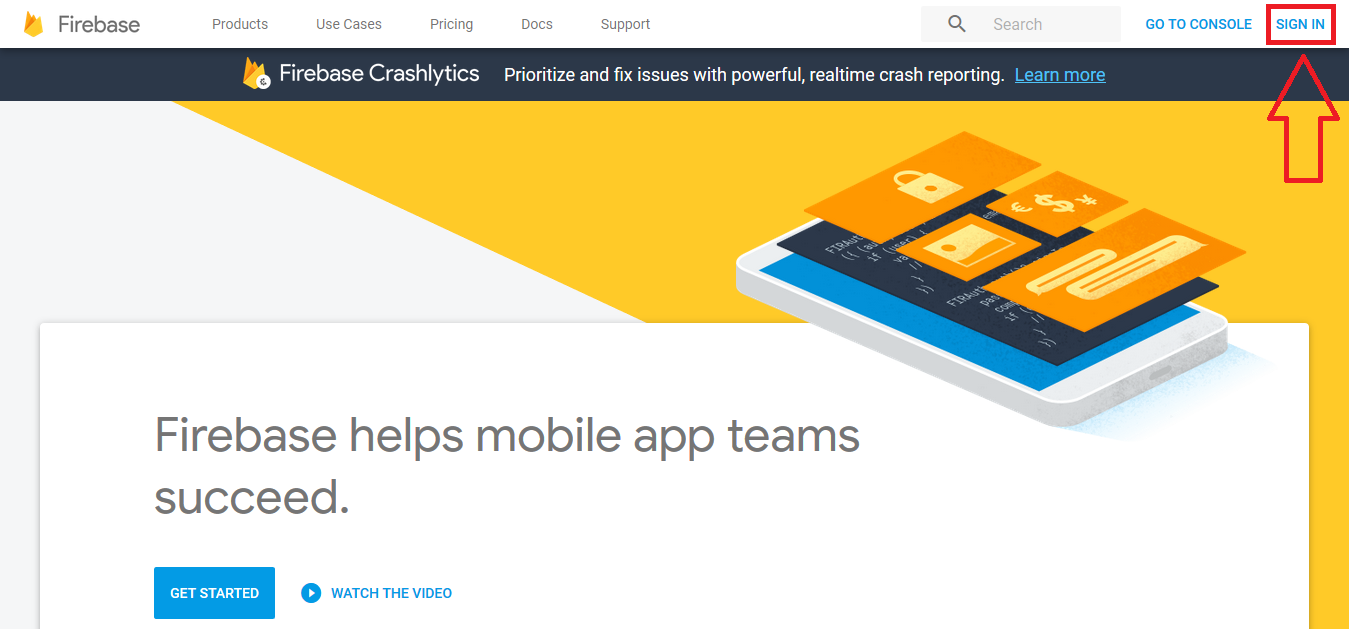
Step 3 : Click on Get Started 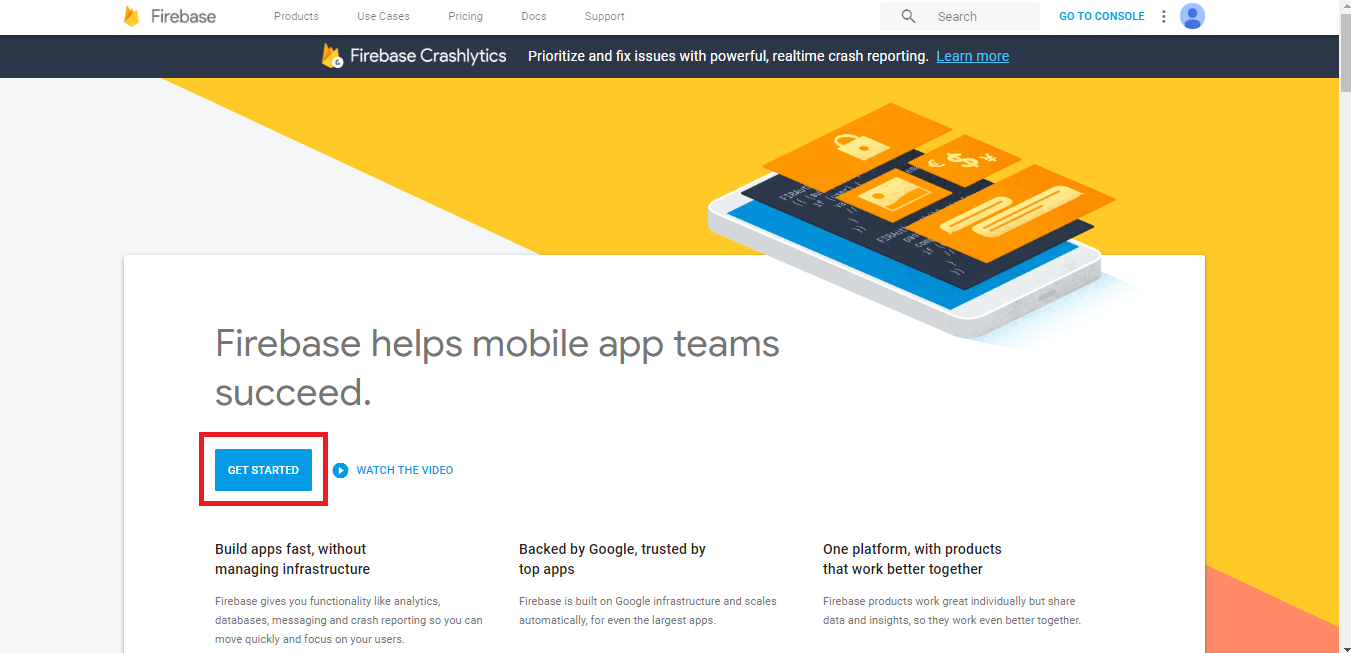
Step 4 : Click on Add Project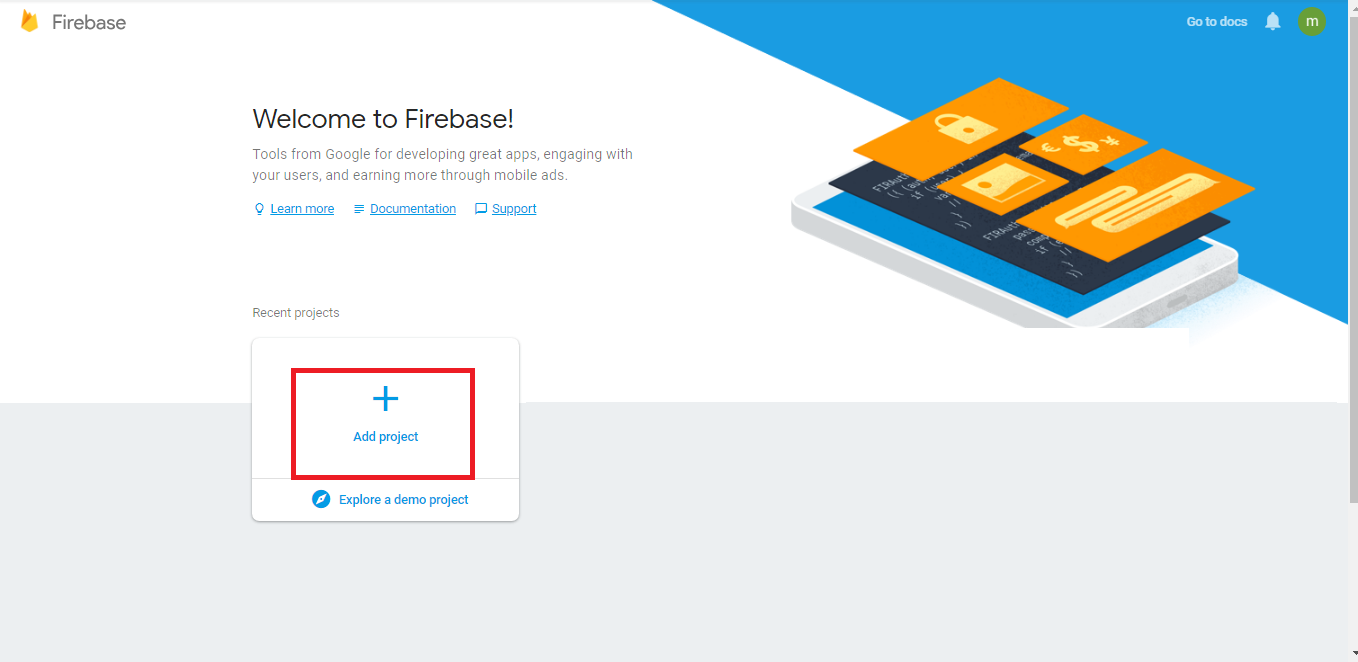
Step 5 : Enter specific details, and click on Create Project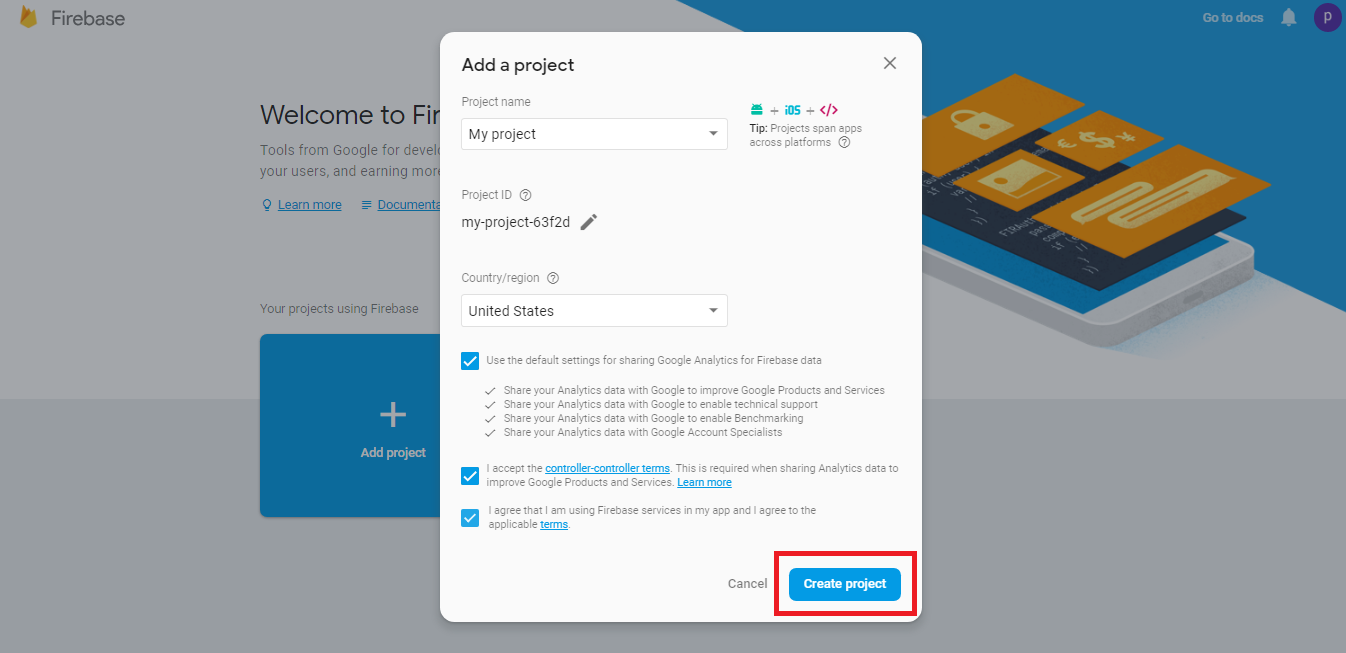
Step 6 : Click on Continue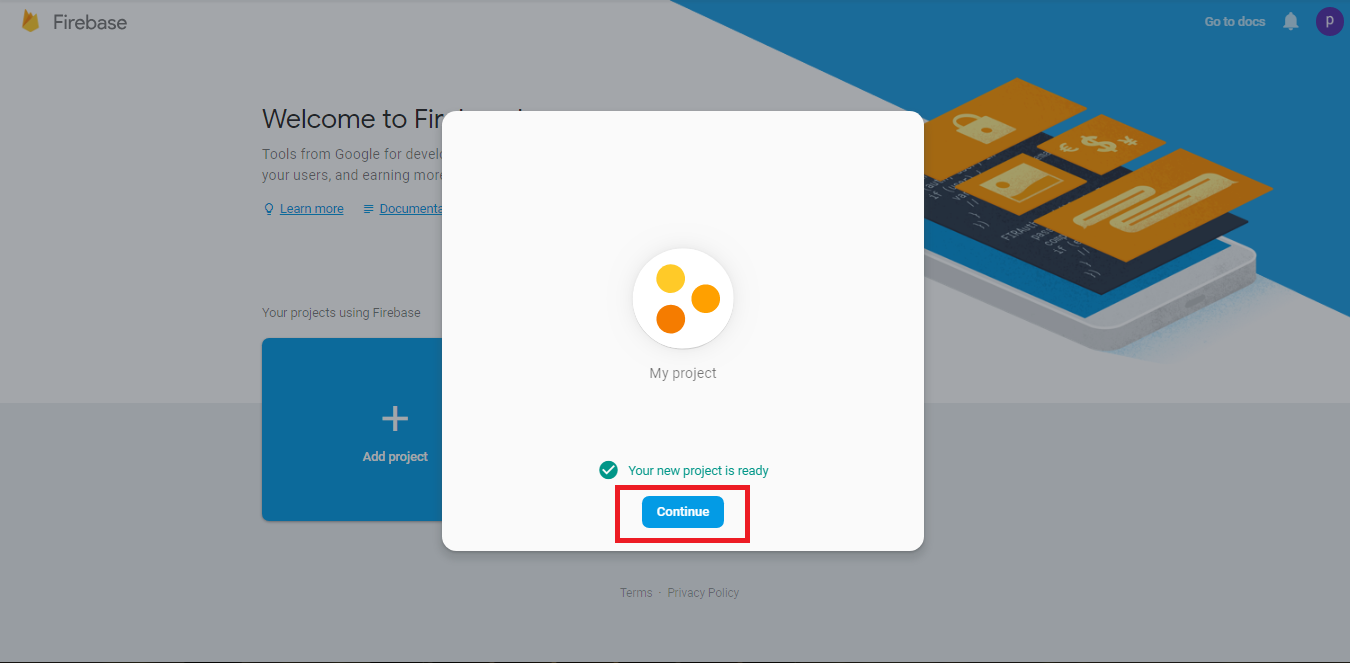
Step 7 : Click on Add Firebase to your web app 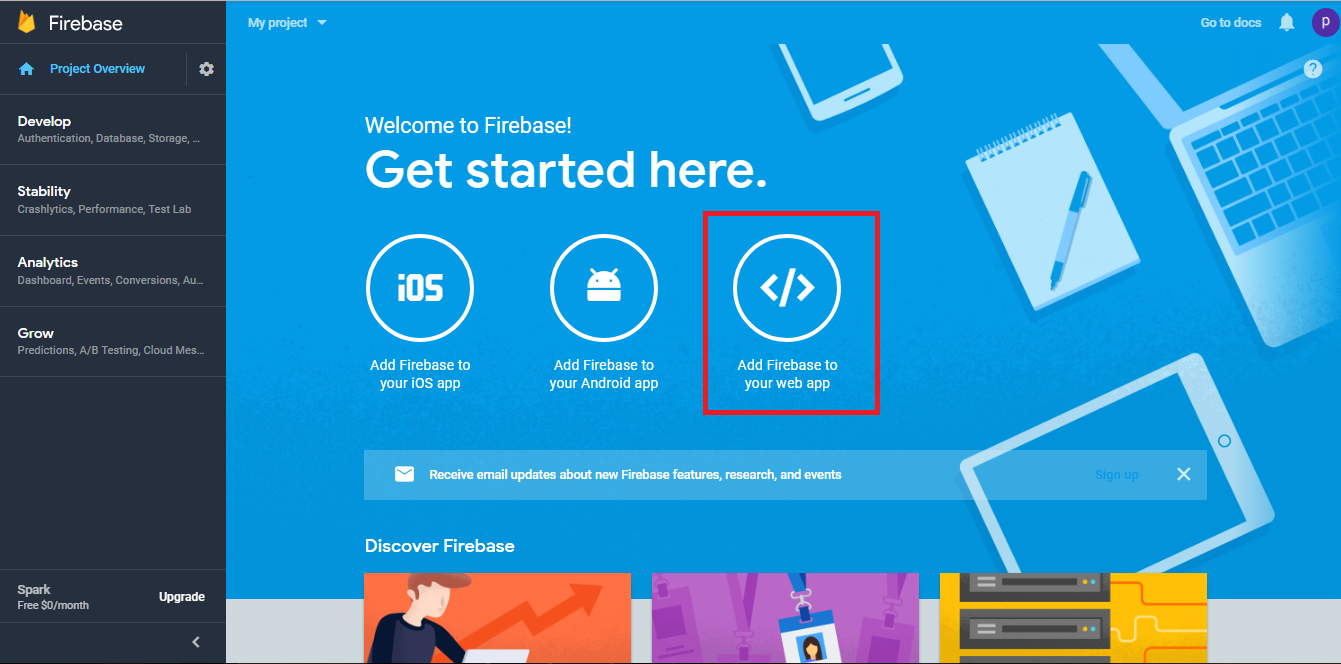
Step 8 : A popup Add Firebase to your web app will appear showing ApiKey, AuthDomain and DatabaseURL. 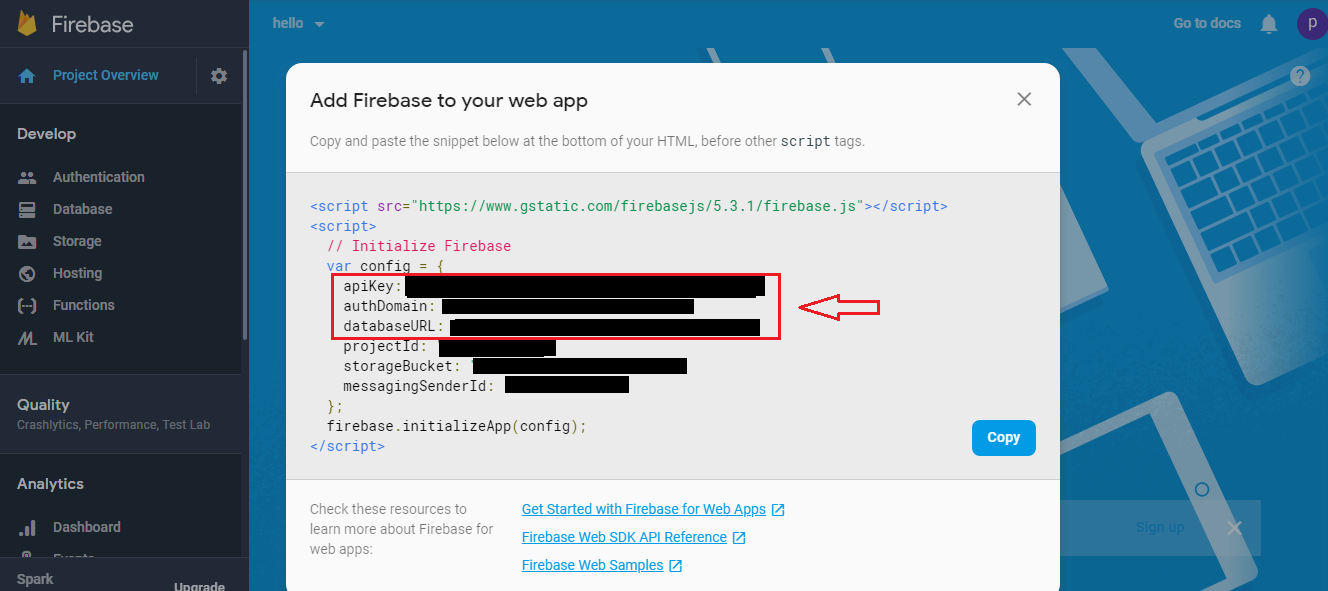 Step 9: Copy appropriate keys and paste them in My Apps >> Editor >>Chat>>Chat Room>>Enter apiKey, AuthDomain and DatabaseURL section.
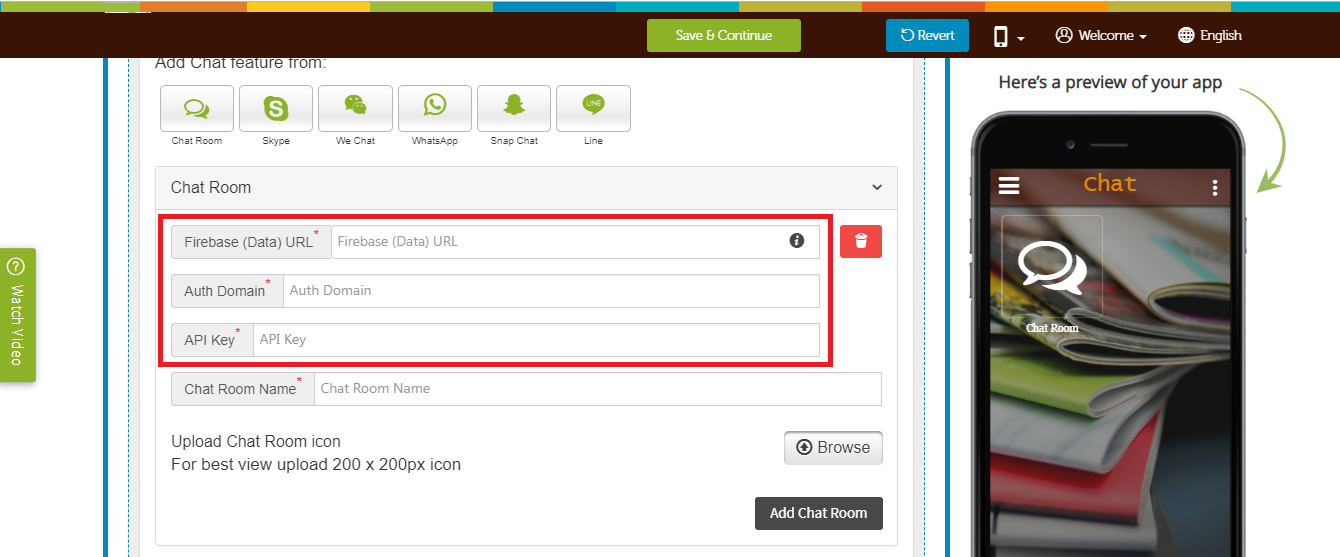
Step 10 : Click on Develop menu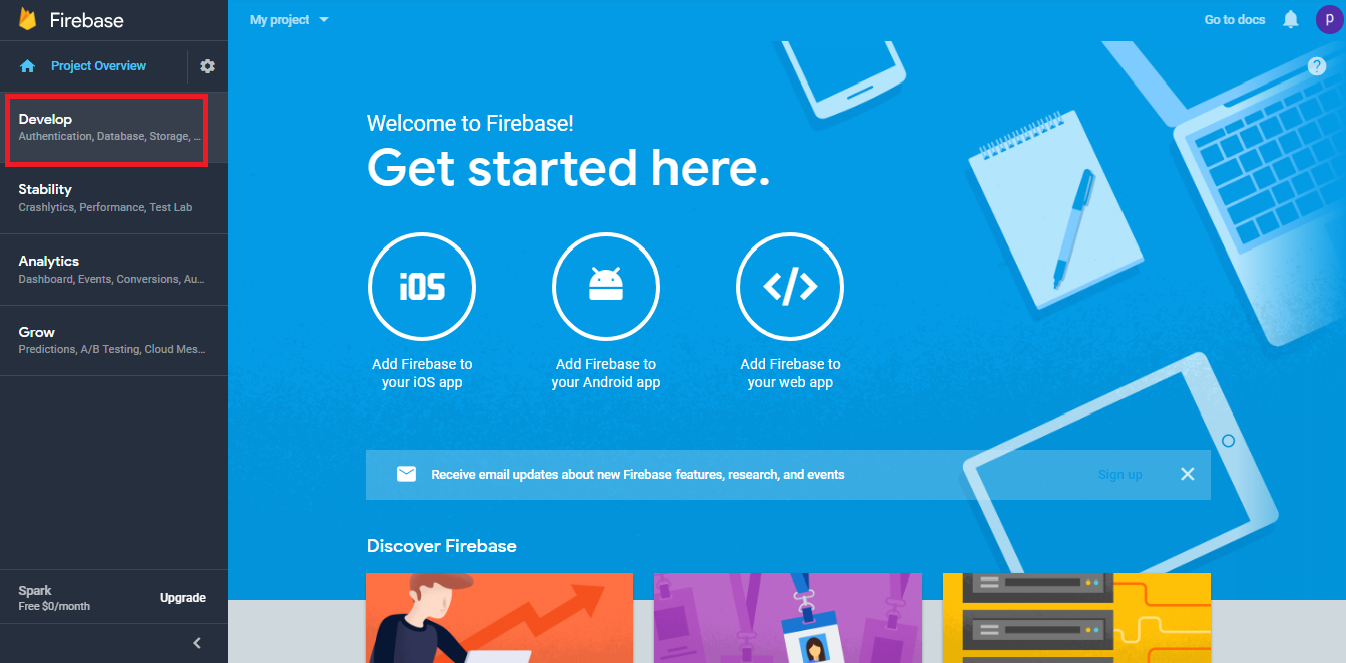
Step 11 : The Develop dropdown menu will open on the left hand side panel, click on Authentication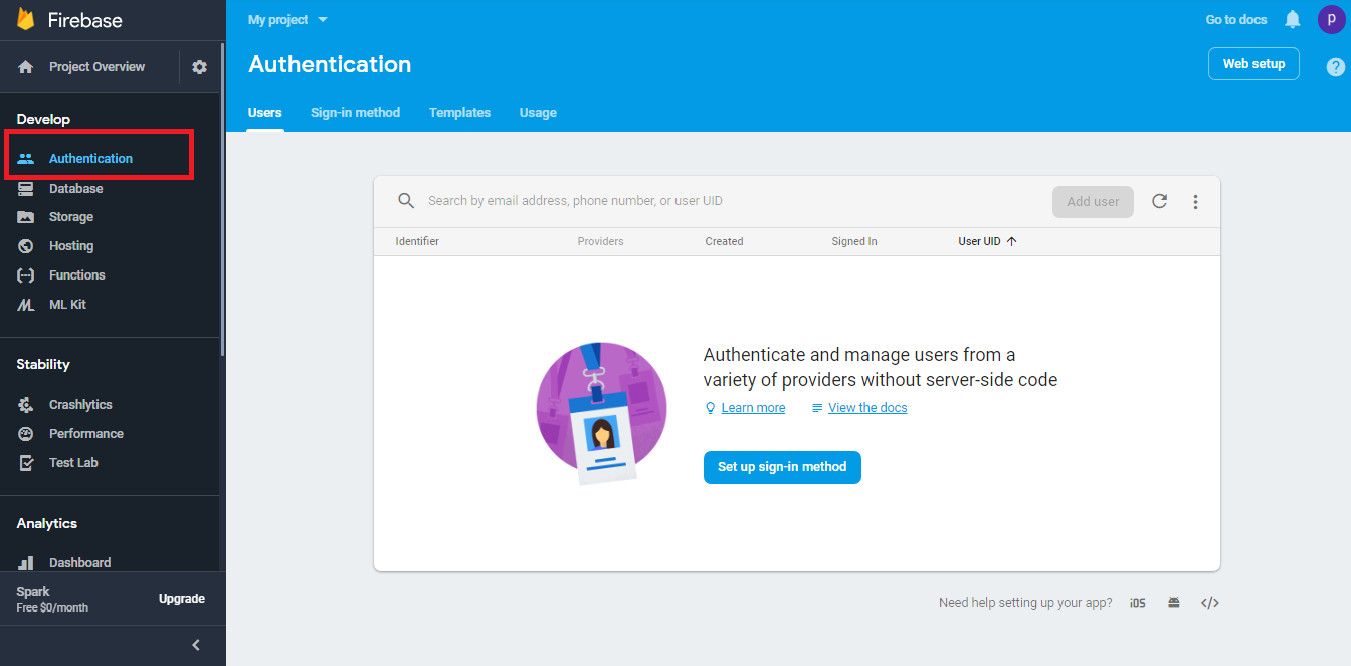
Step 12 : Click on Sign-in Method, then enable Anonymous 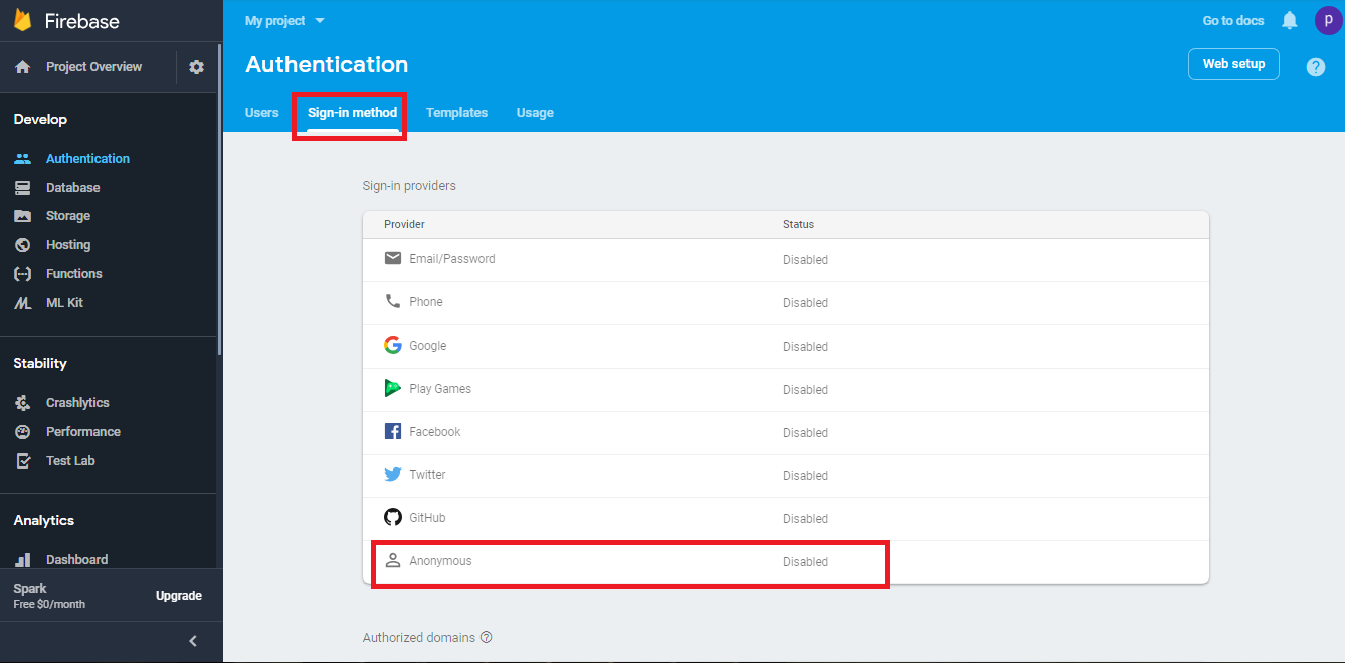
Step 13 : Once done, click on Save button 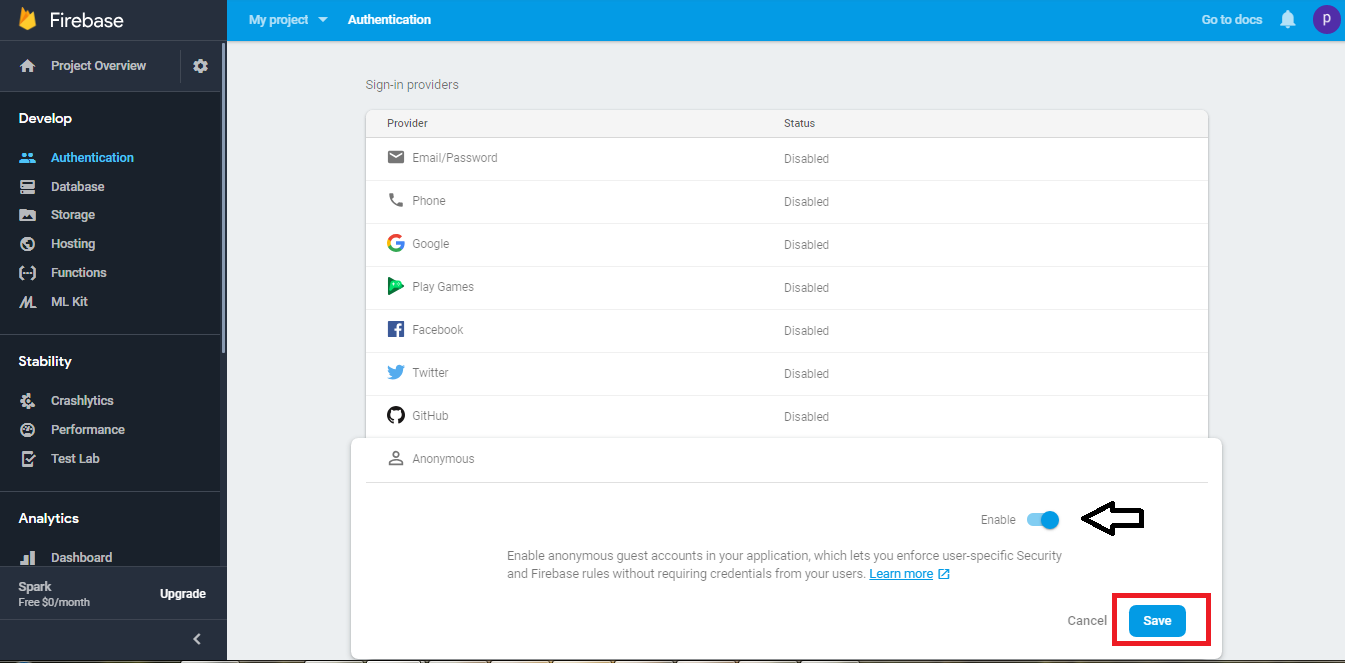
Step 14 : In Develop menu on the left hand side panel, click on Database 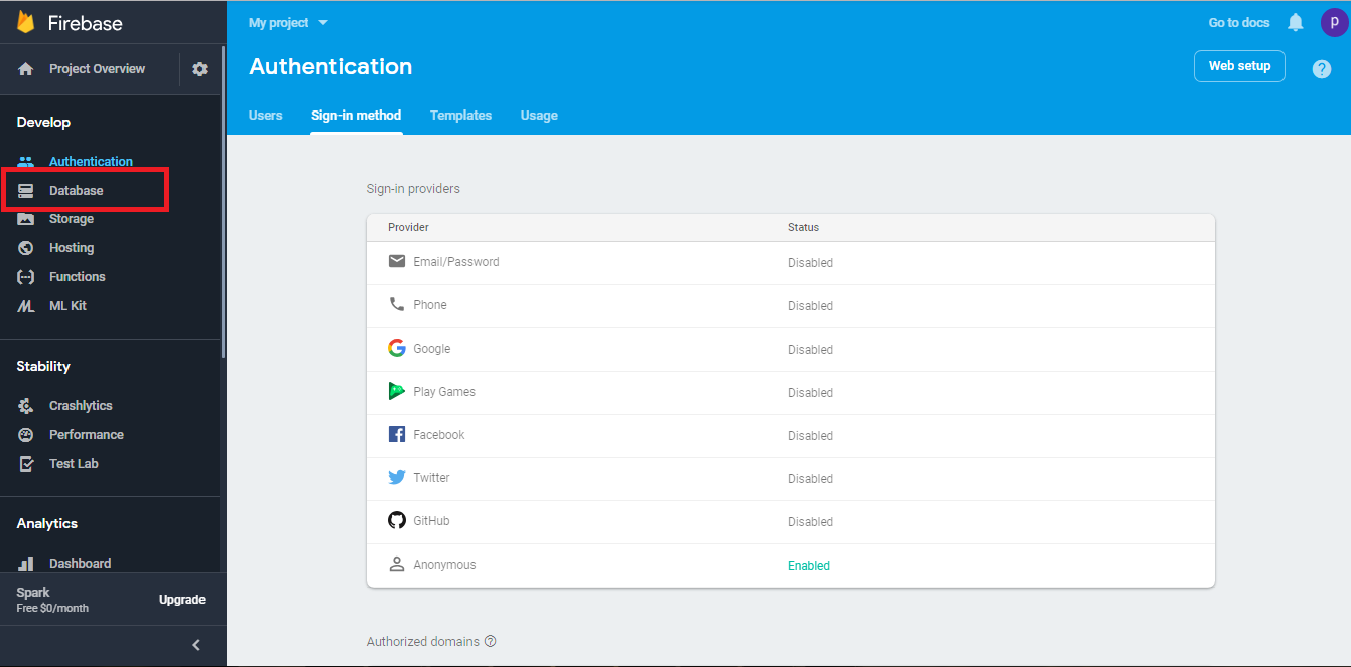
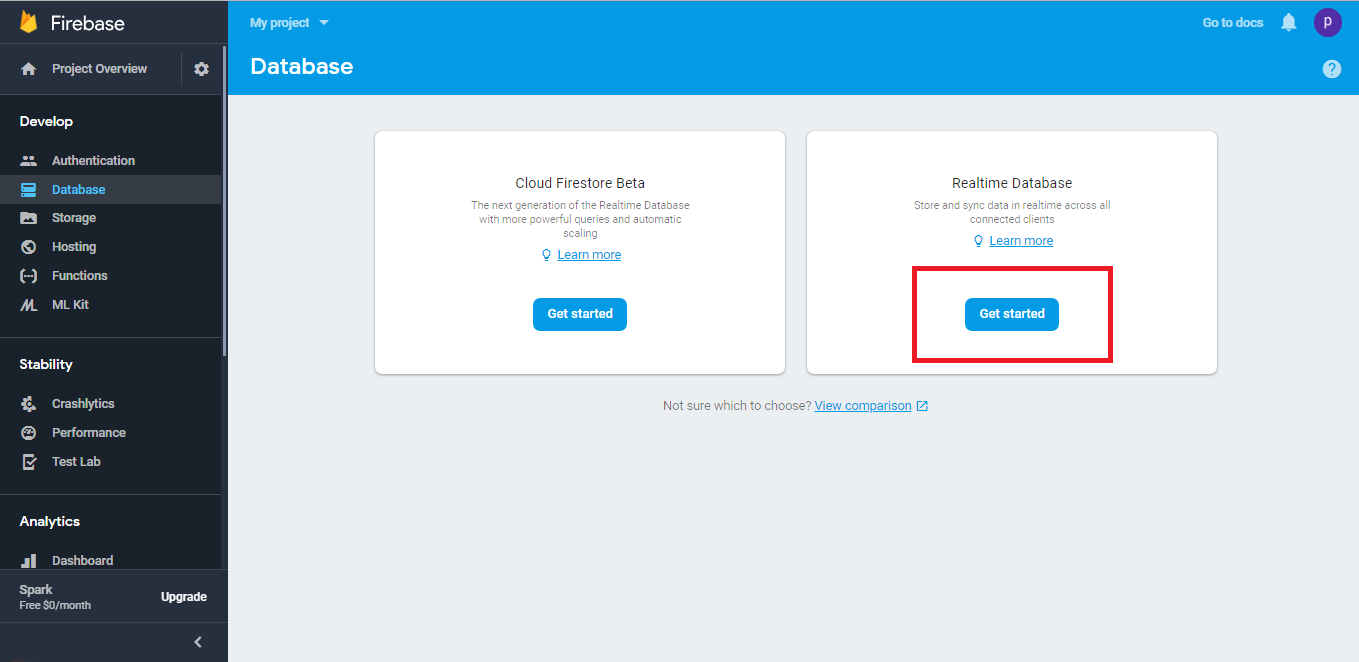
Step 16 : Click on Enable 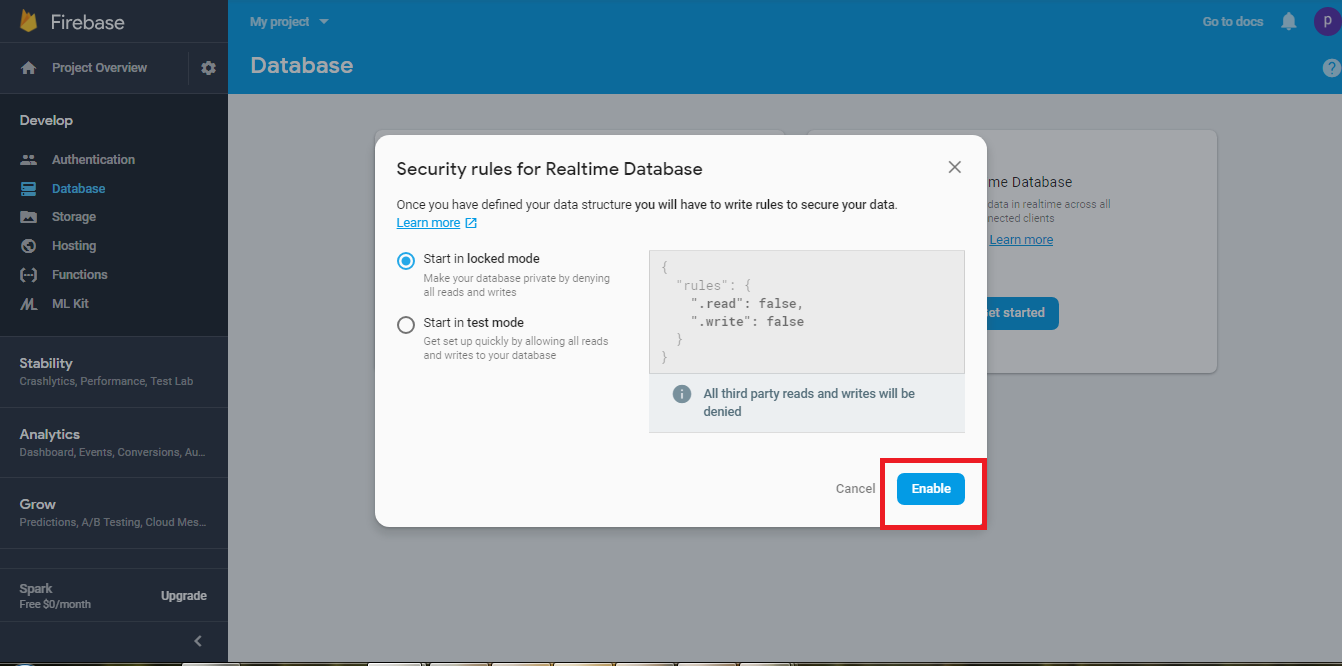
Step 17 : Click on Rules 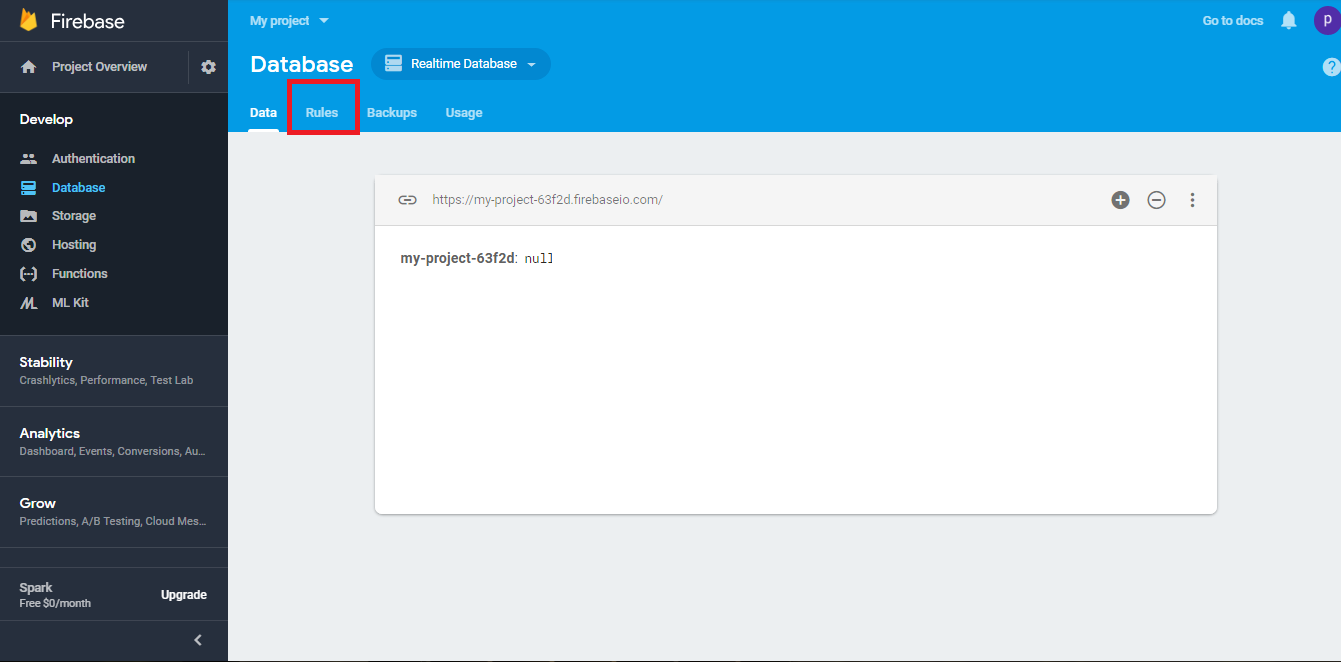
Step 18 : Delete the entire code 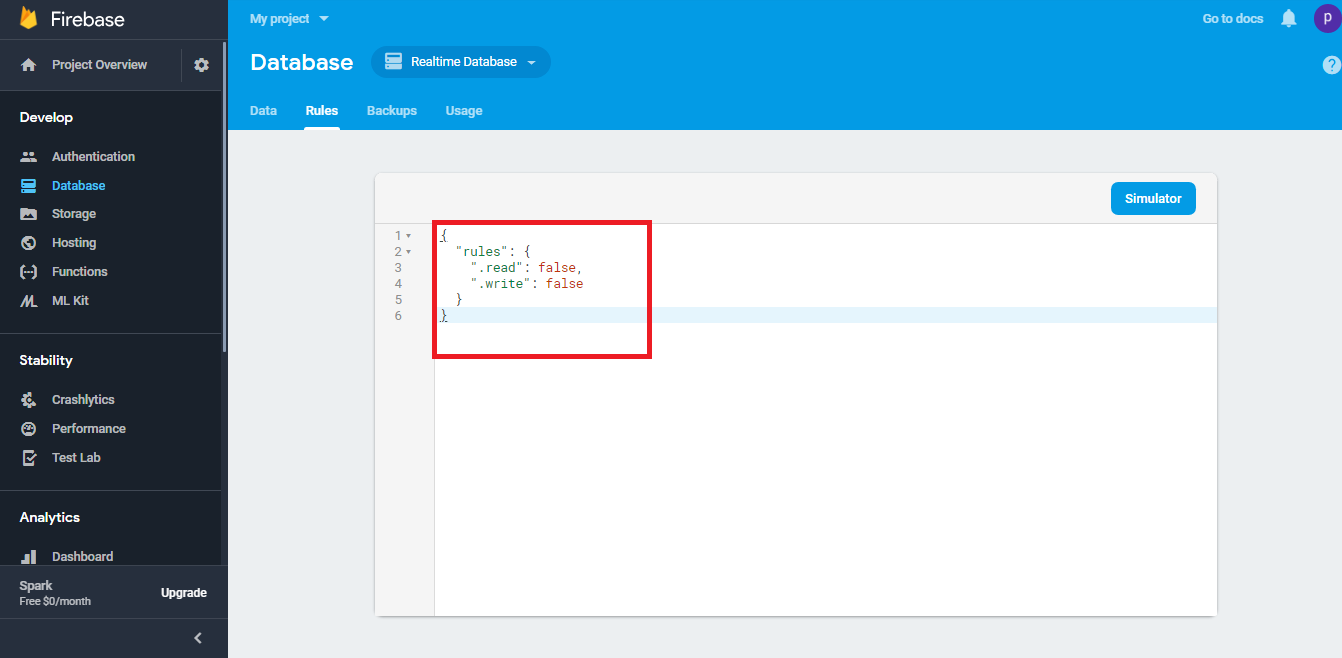
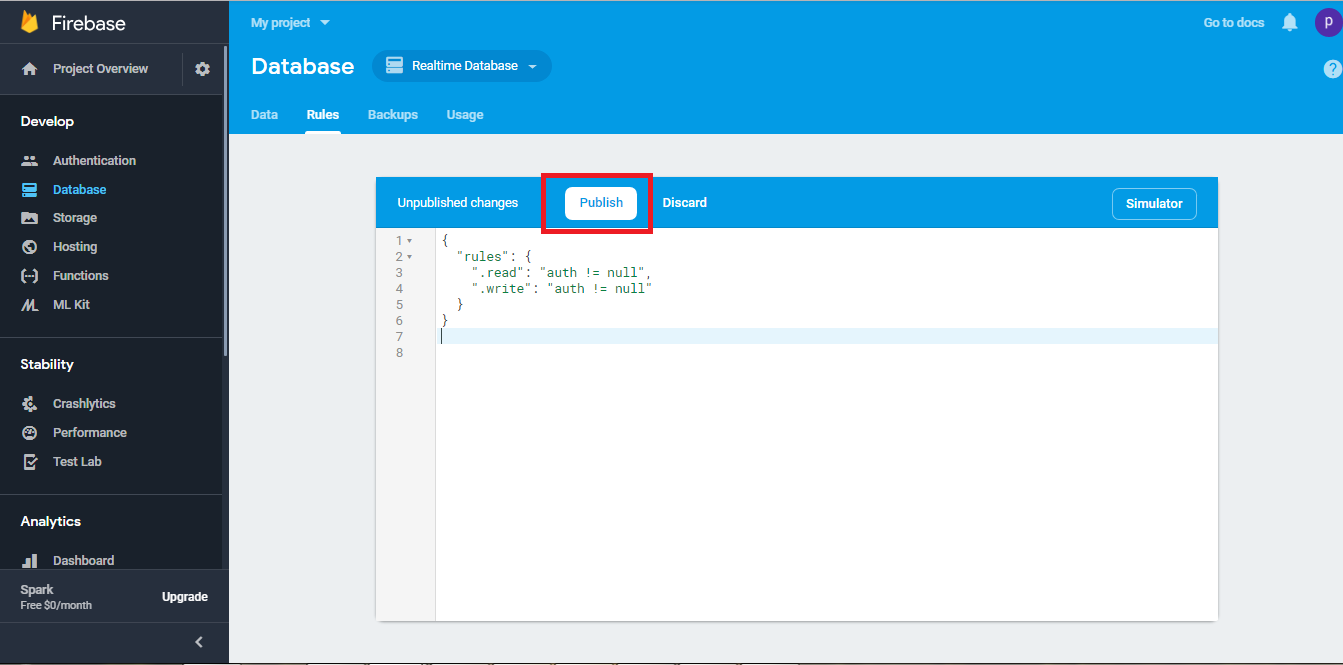
Step 19 : Now enter the following code, and click on Publish
Questo articolo è stato utile
Questo articolo è stato utile
Grazie per il tuo feedback!
- Aderire
- Registrati
