
Quale attività vuoi creare?


How to setup Firebase database for enabling chat in your Gigafix app?
Follow below mentioned steps to easily setup Firebase database and enable chat in your Gigafix app :
Step 1 : Go to Firebase
Step 2 : If you have a Firebase account, login, else Signup
Step 3 : Click on Get Started 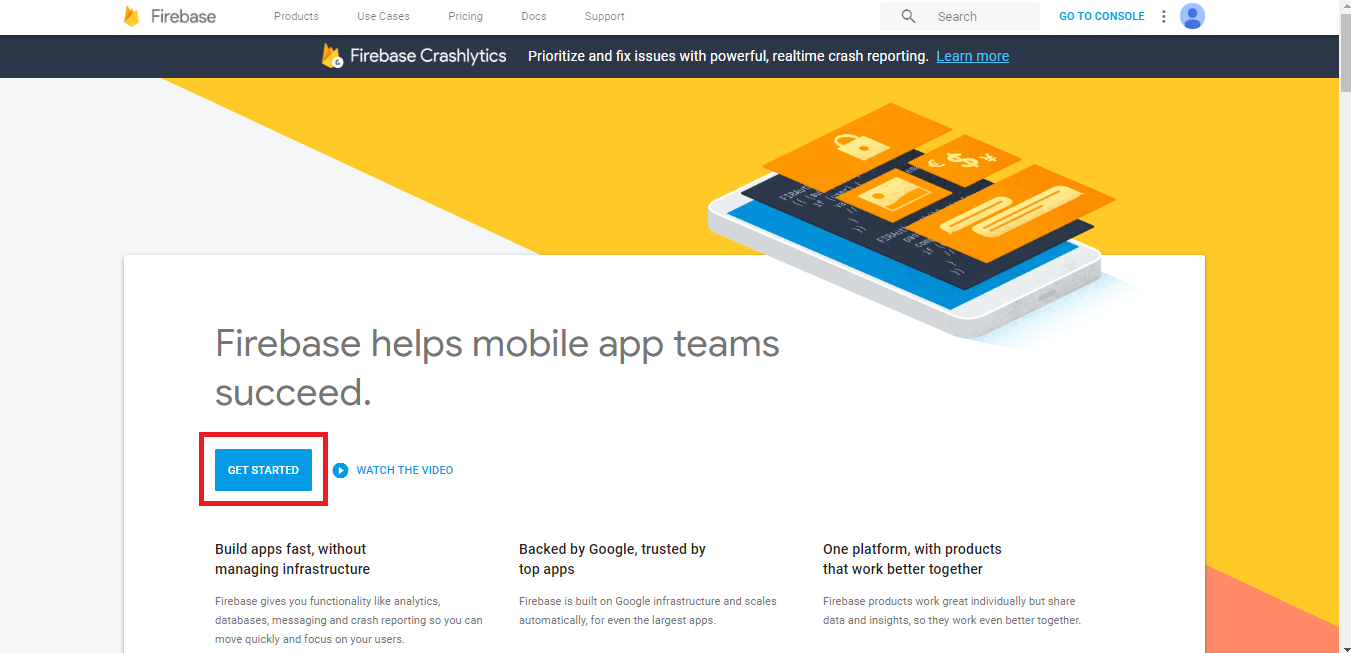
Step 4 : Click on Add Project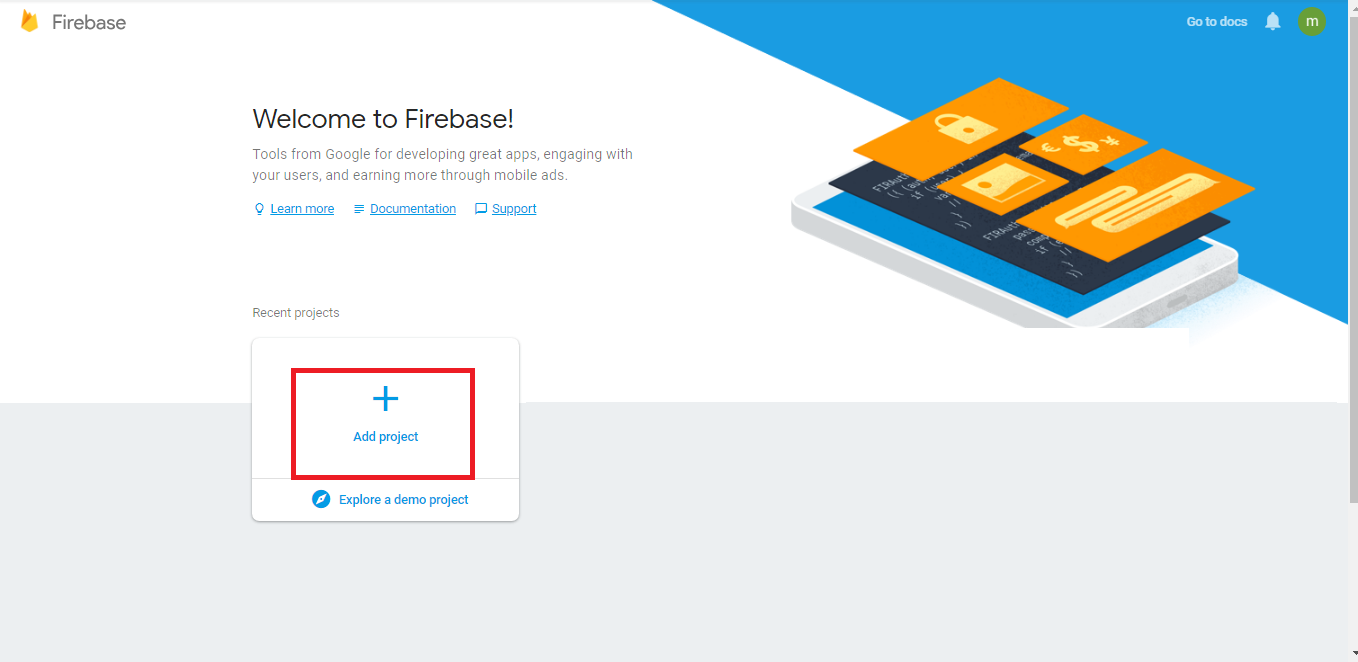
Step 5 : Enter specific details, and click on Create Project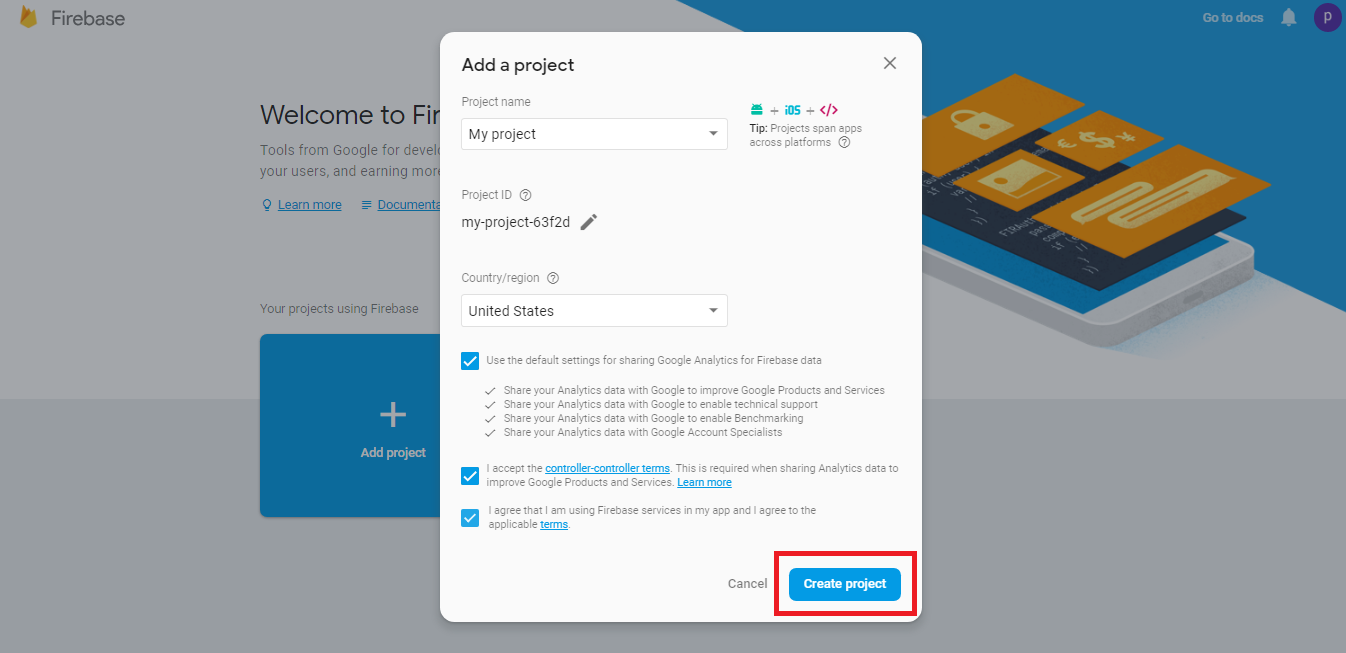
Step 6 : Click on Continue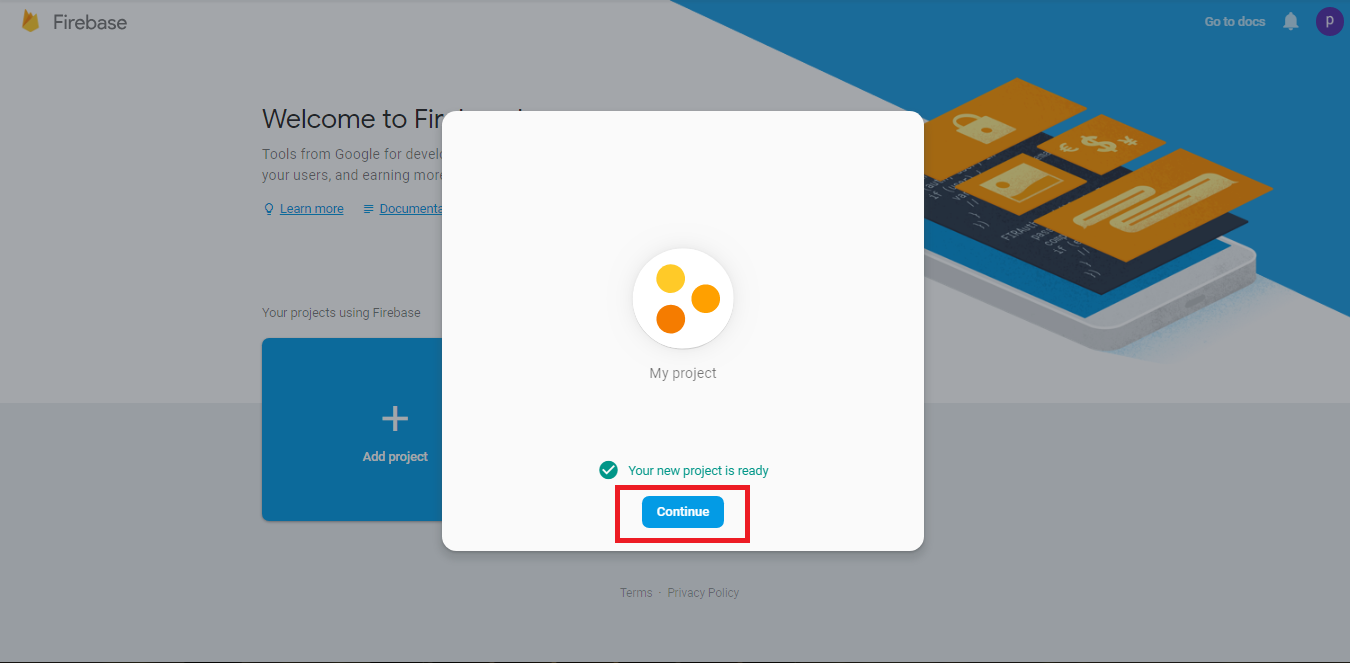
Step 7 : Click on Add Firebase to your web app 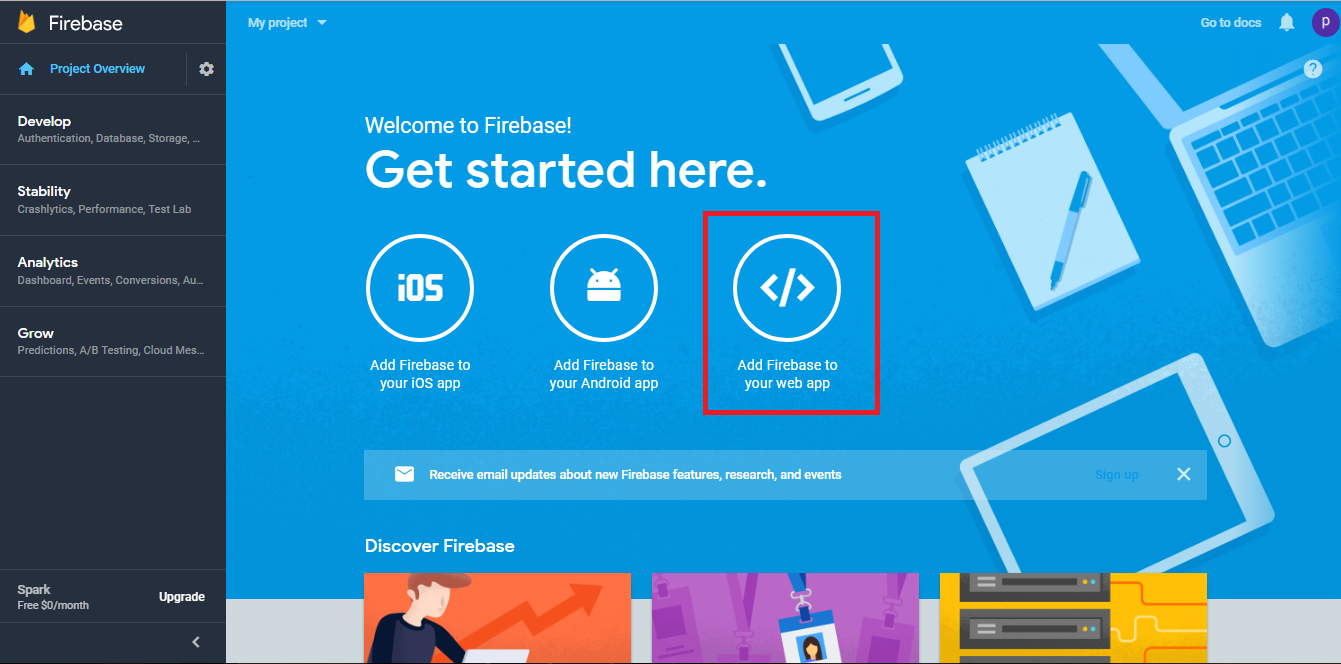
Step 8 : A popup Add Firebase to your web app will appear showing apiKey, authDomain, databaseURL, messagingSenderID and projectID. Copy appropriate keys and paste them in My Apps >> Editor >> Dating >> Enter Auth Key section 
Step 9 : Click on Develop menu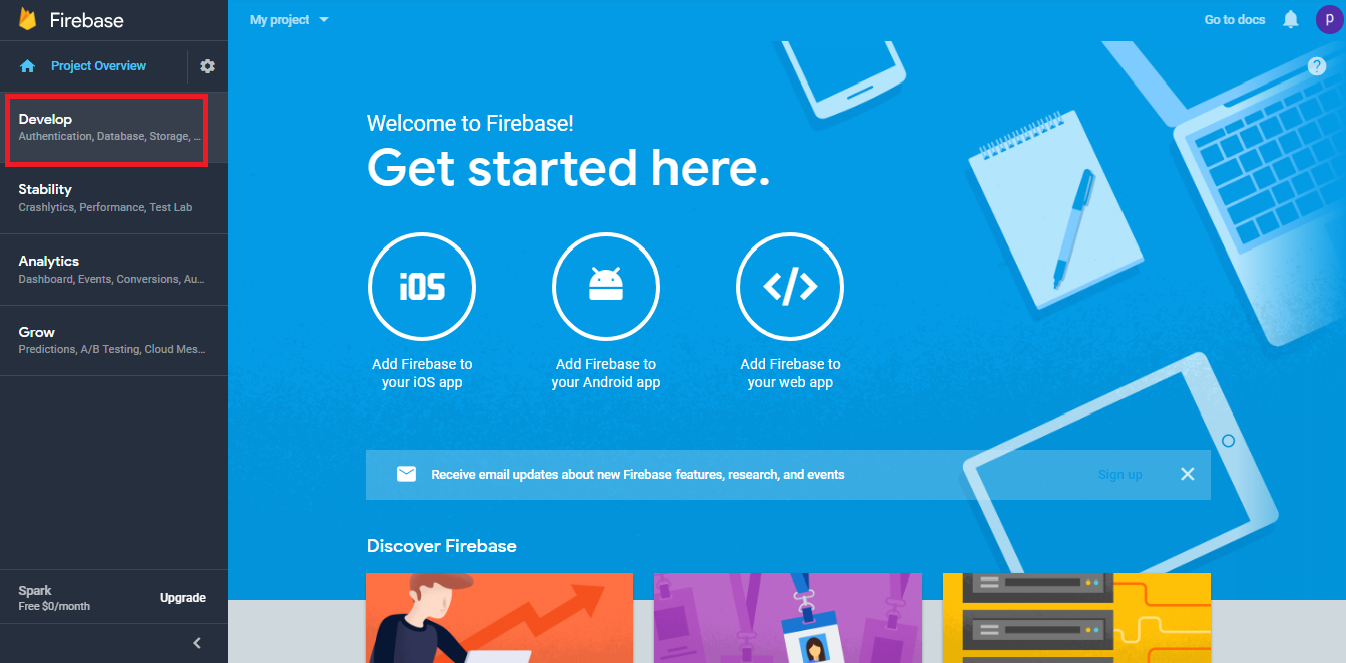
Step 10 : The Develop dropdown menu will open on the left hand side panel, click on Authentication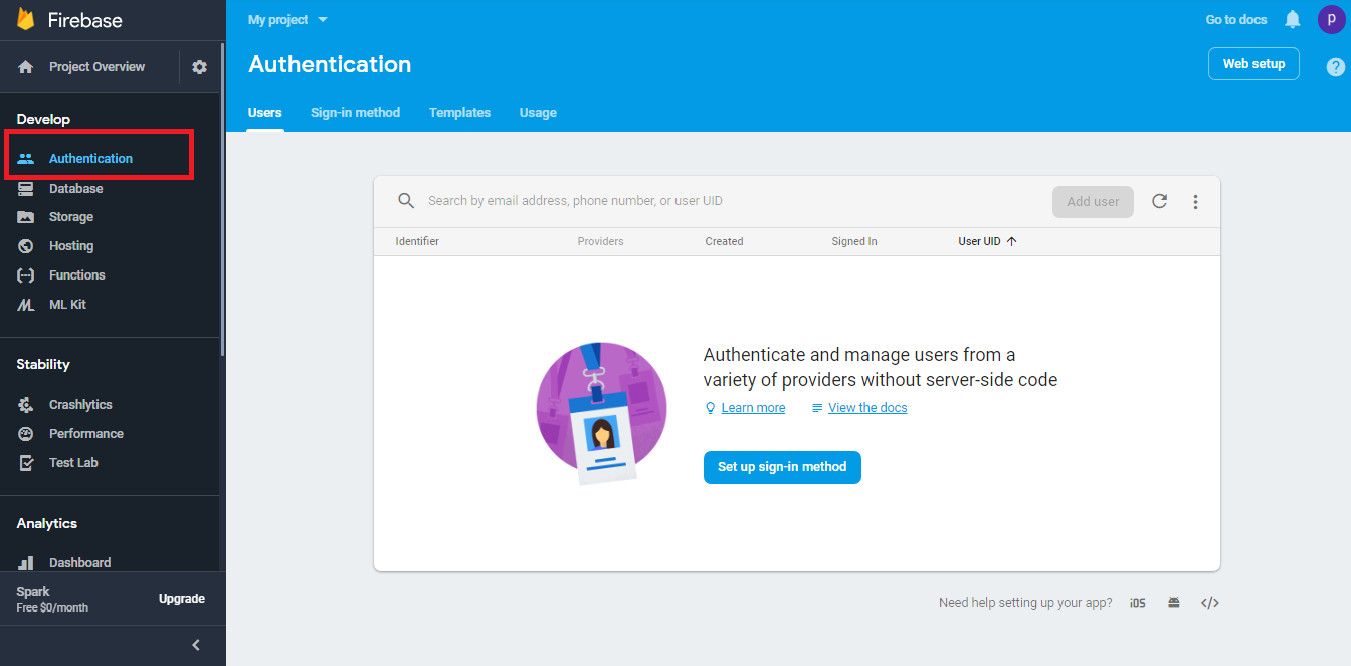
Step 11 : Click on Sign-in Method, then enable Anonymous 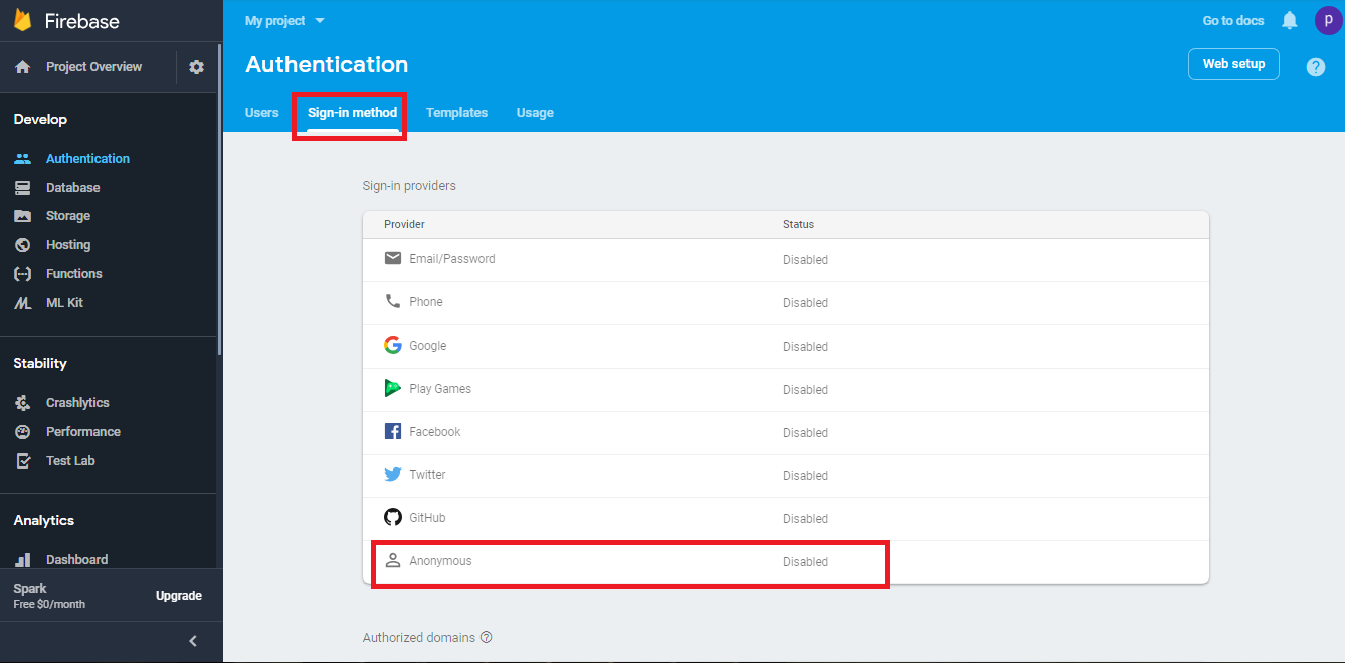
Step 12 : Once done, click on Save button 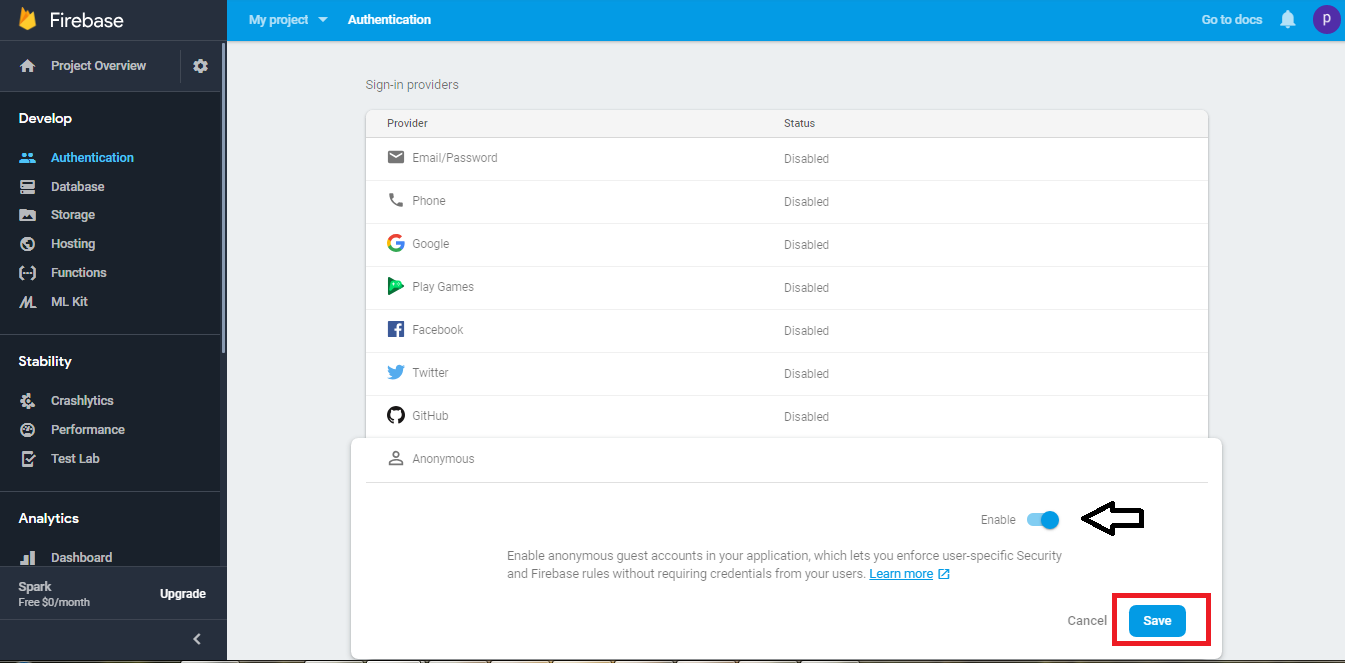
Step 13 : In Develop menu on the left hand side panel, click on Database 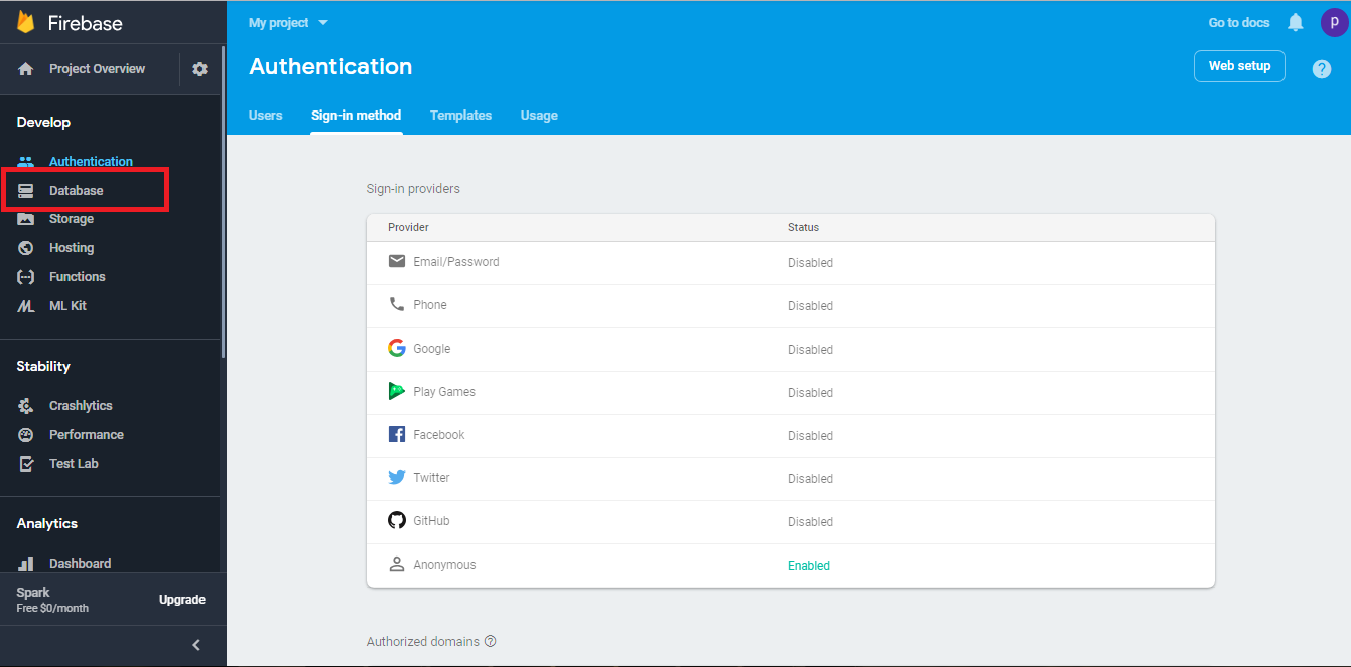
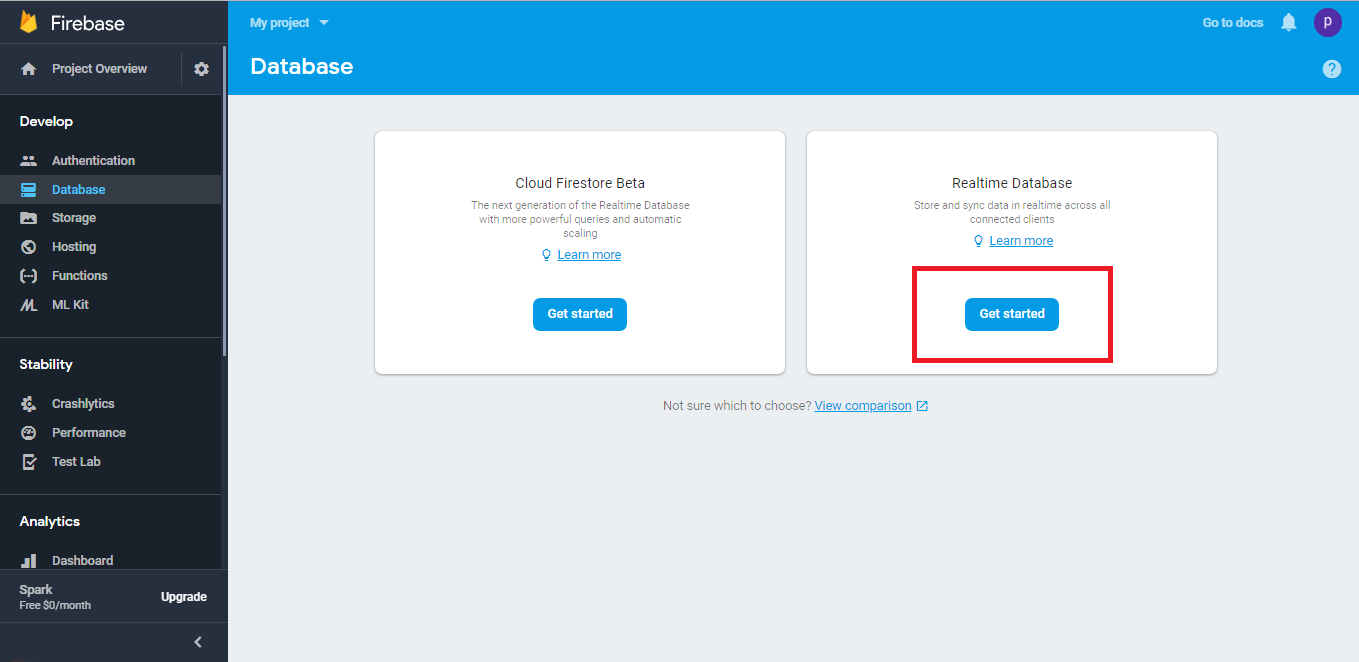
Step 15 : Click on Enable 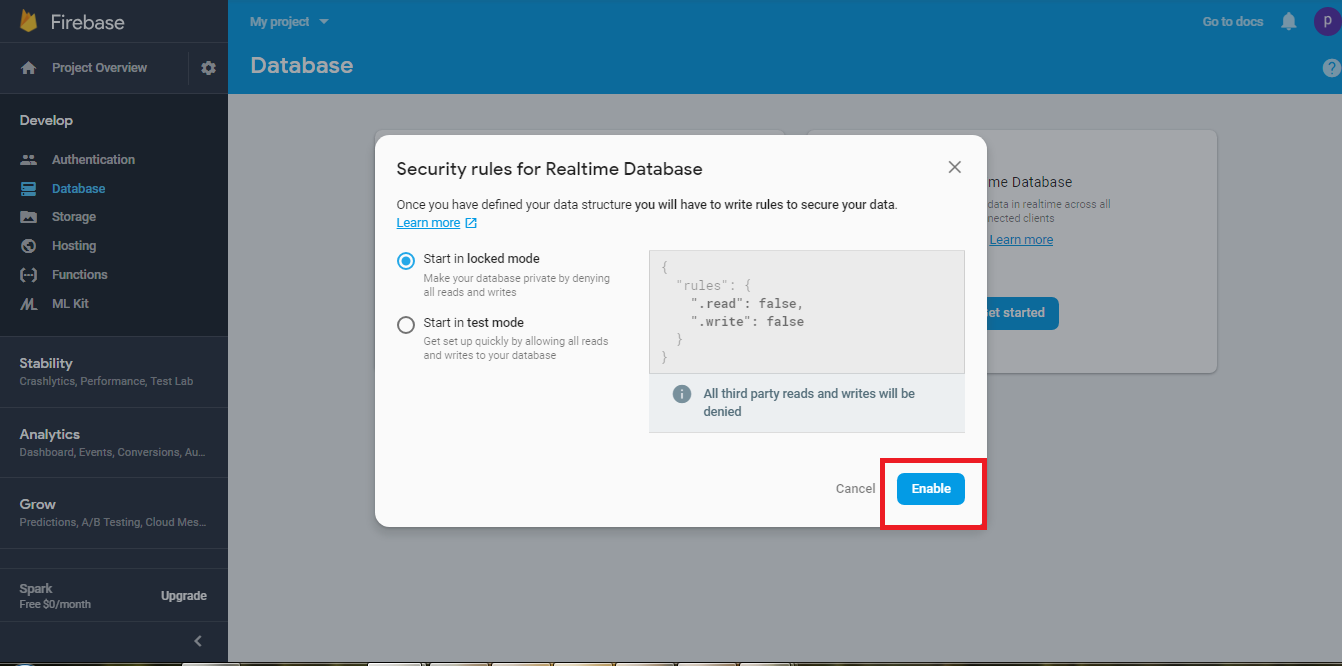
Step 16 : Click on Rules 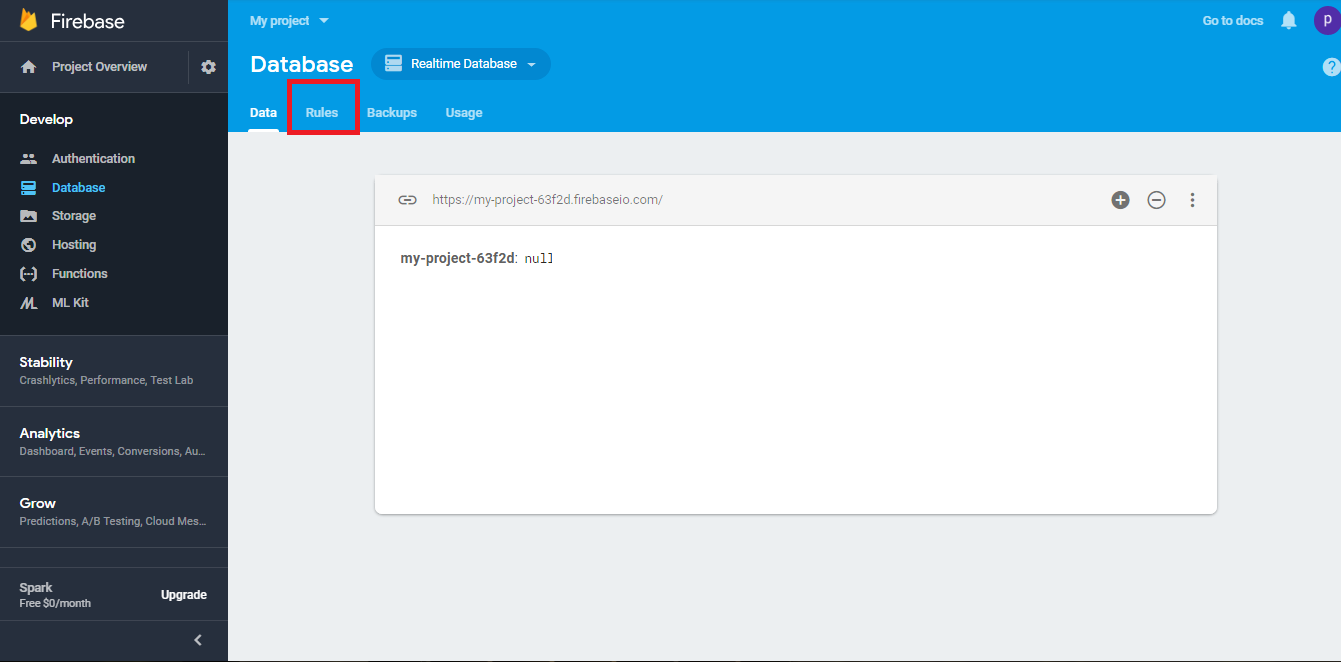
Step 17 : Delete the entire code 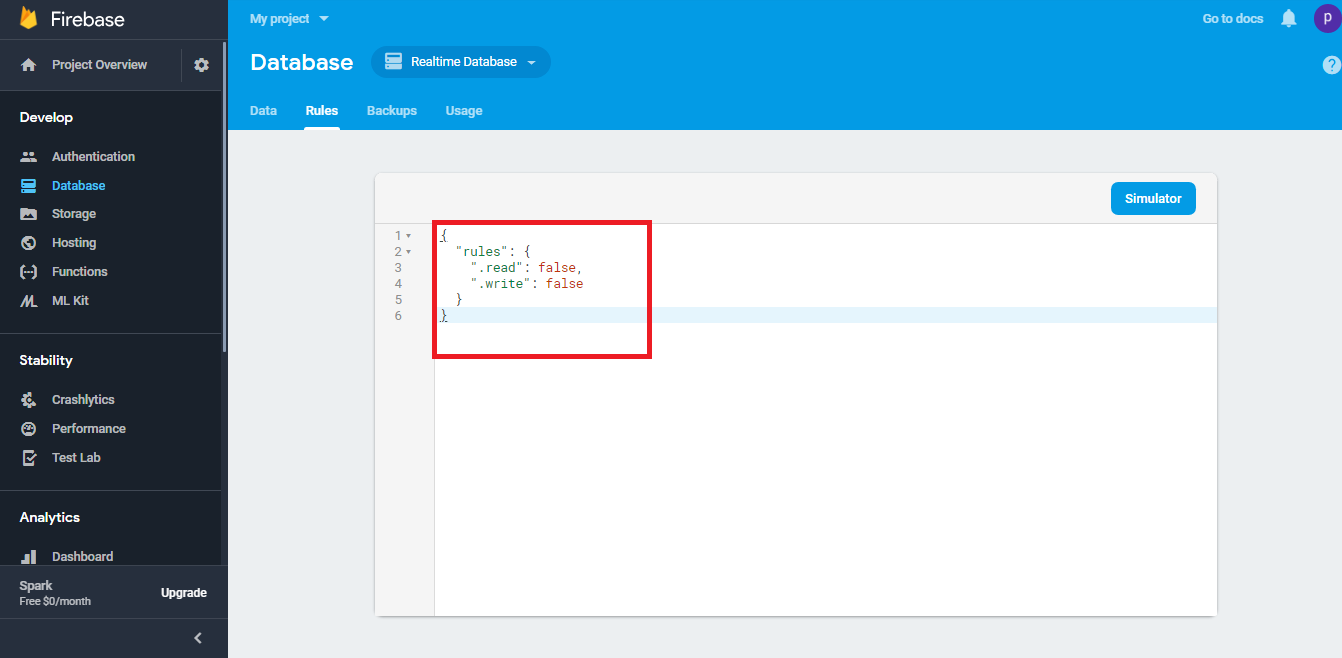
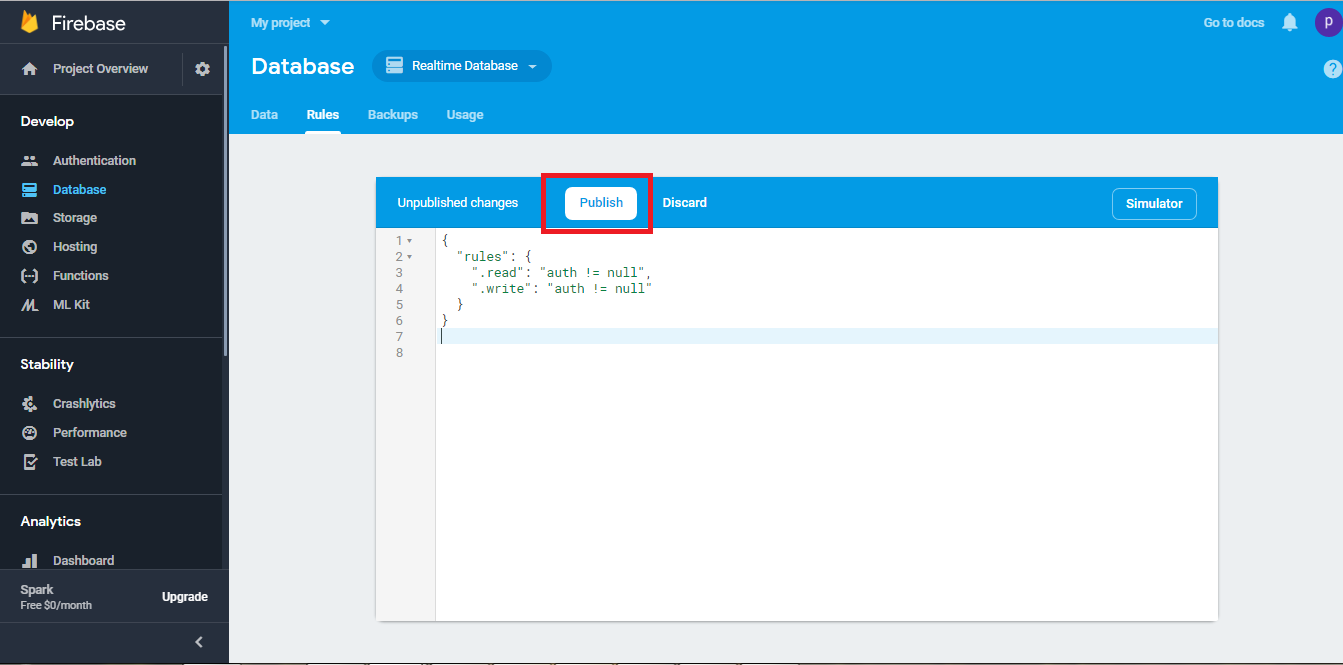
Step 18 : Now enter the following code, and click on Publish
Questo articolo è stato utile
Questo articolo è stato utile
Grazie per il tuo feedback!
- Aderire
- Registrati
