
Quale attività vuoi creare?


How To Setup your APN Production SSL Certificate for Apple Push notification Services?
Follow steps below to easily setup your APN Production SSL Certificate for Apple Push notification Services :
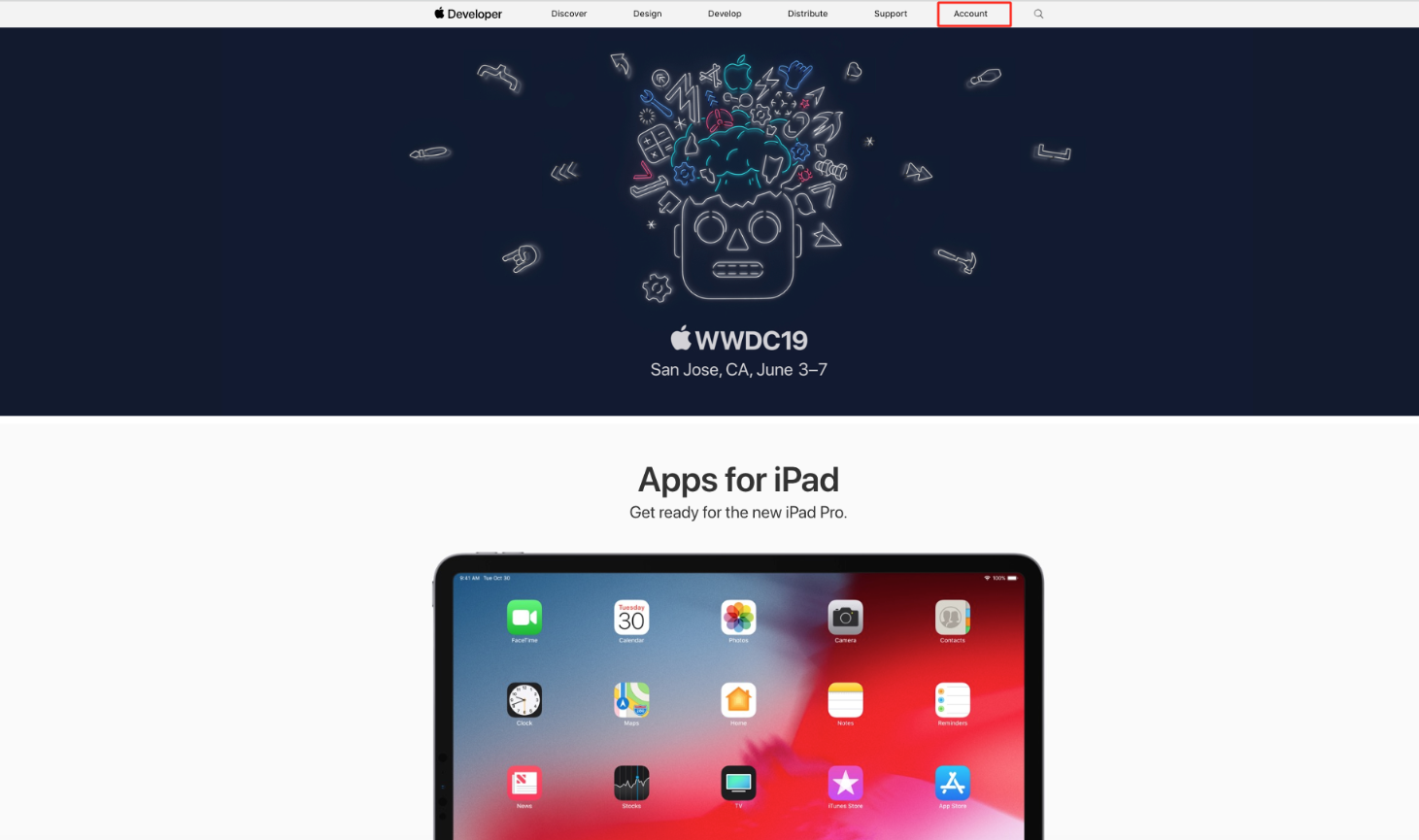
Step 1 : Go to Apple Developer
Step 2 : Click on Account
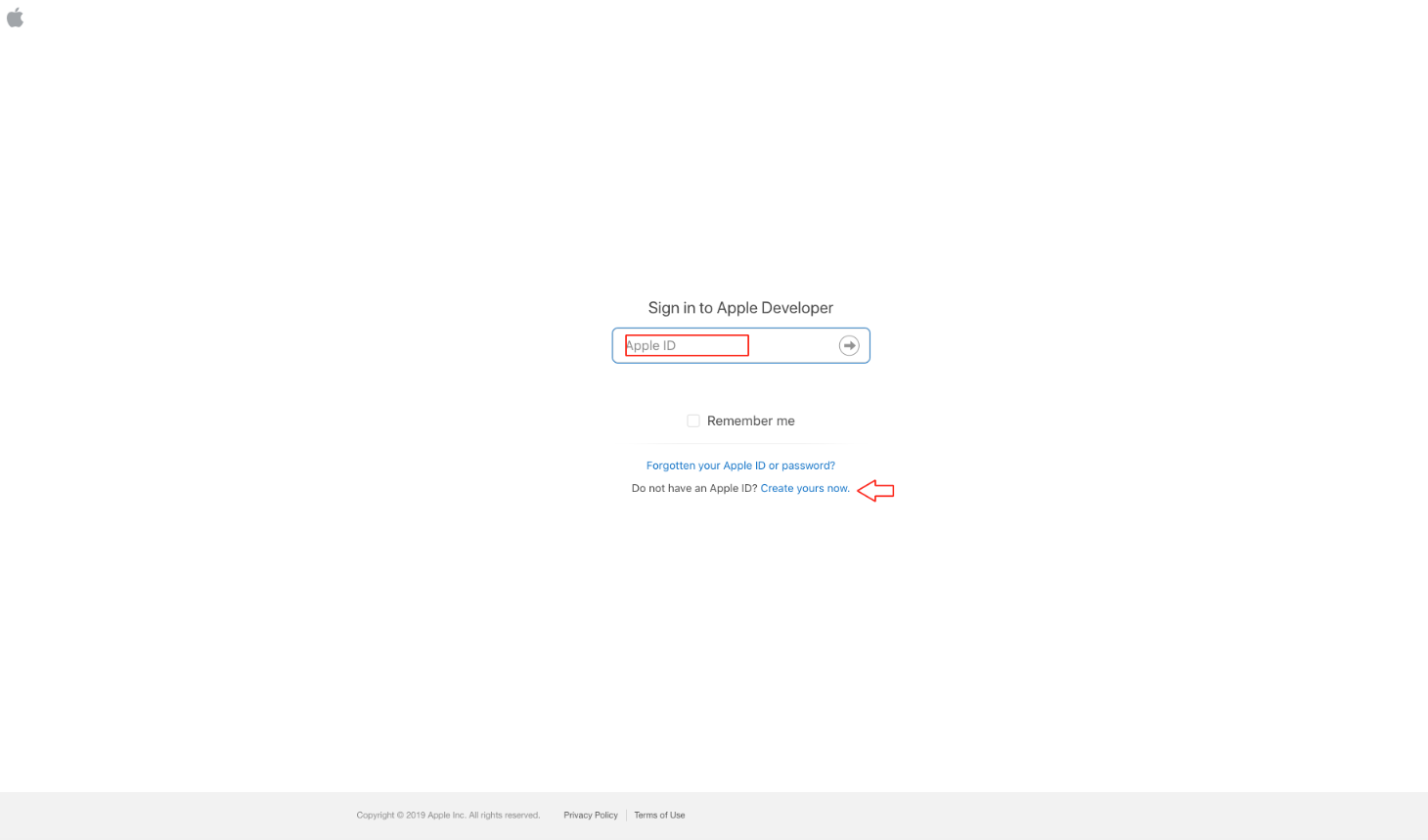
Step 3 : If you have an Apple Developer account, Sign In, else Create an account
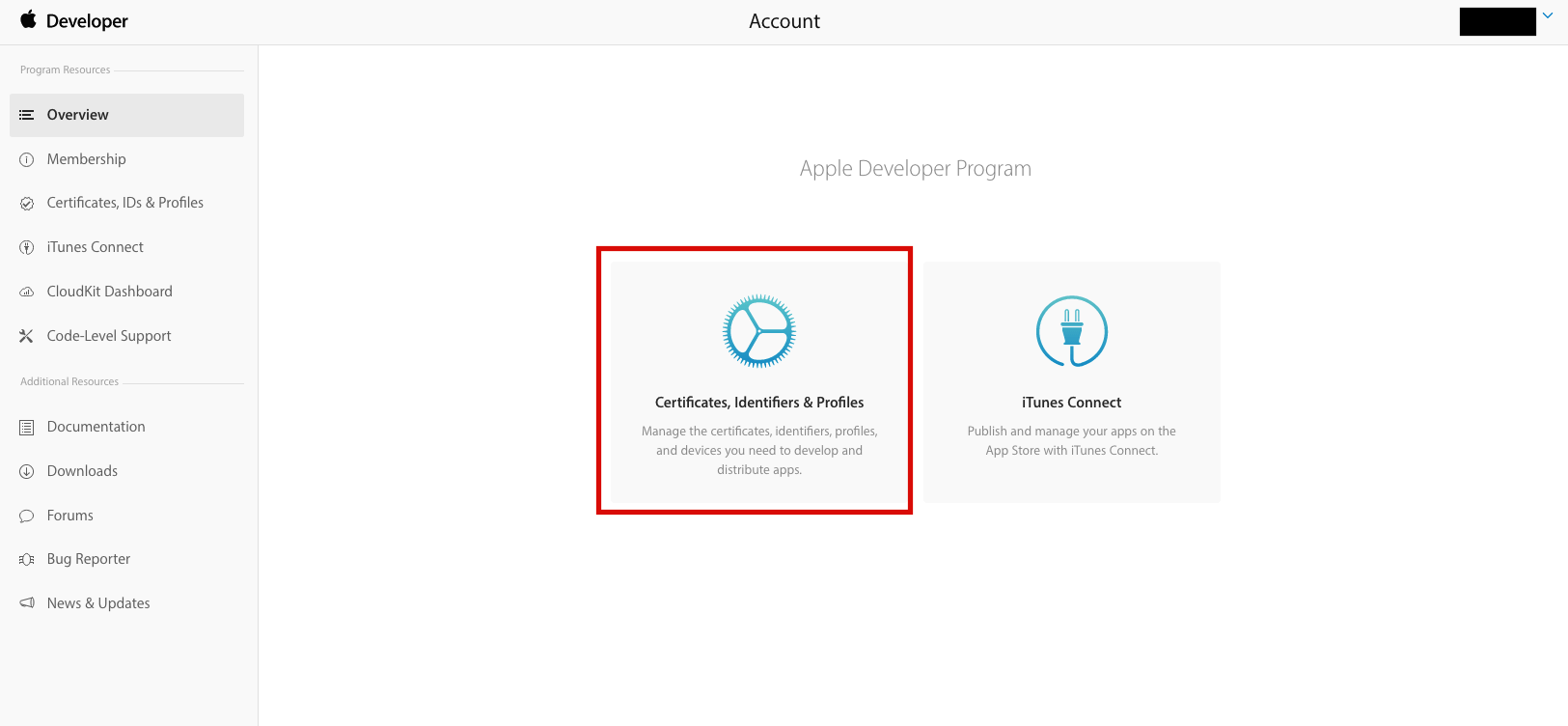
Step 4 : Click on Certificates, Identifiers & Profiles option
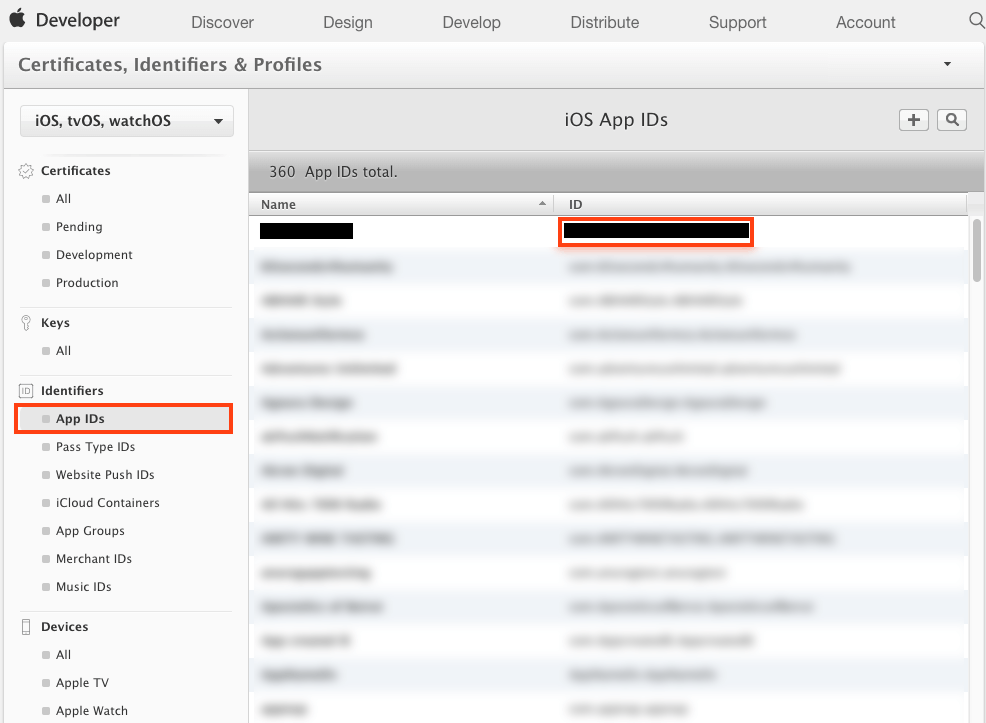
Step 5 : Click on App IDs under Identifiers, and select the bundle id of the respective app
Step 6 : Click on Edit button
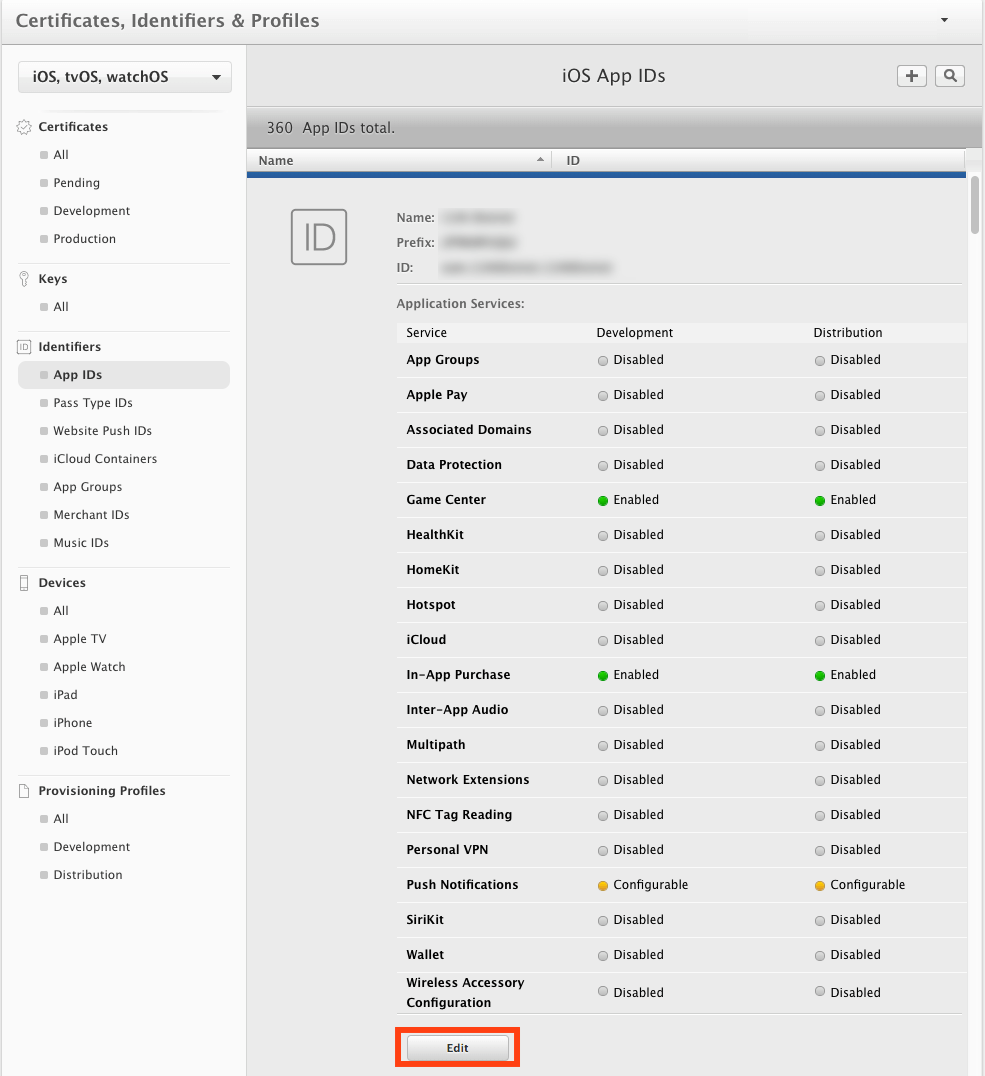
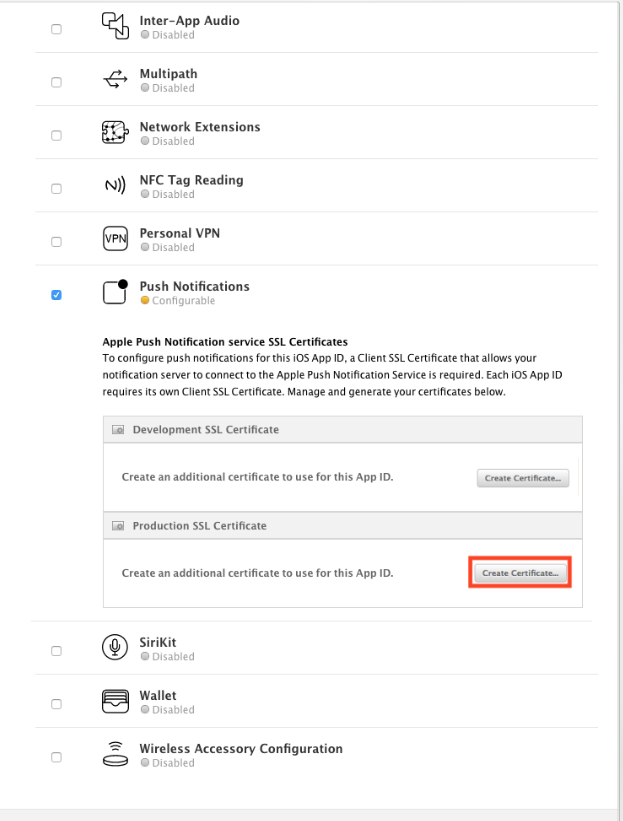
Step 7 : Click on Create Certificate button in Production SSL Certificate under Push Notifications
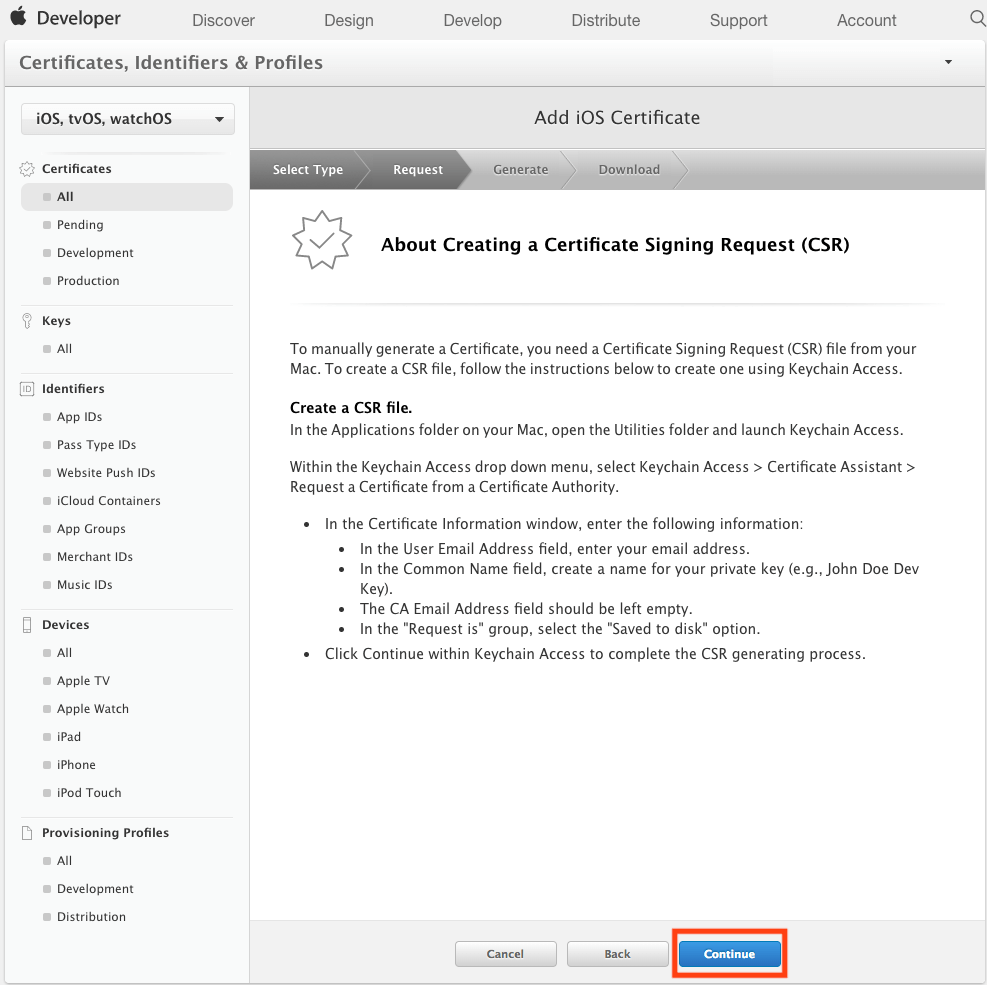
Step 8 : Click on Continue
Step 9 : Upload CSR file and click on Continue.
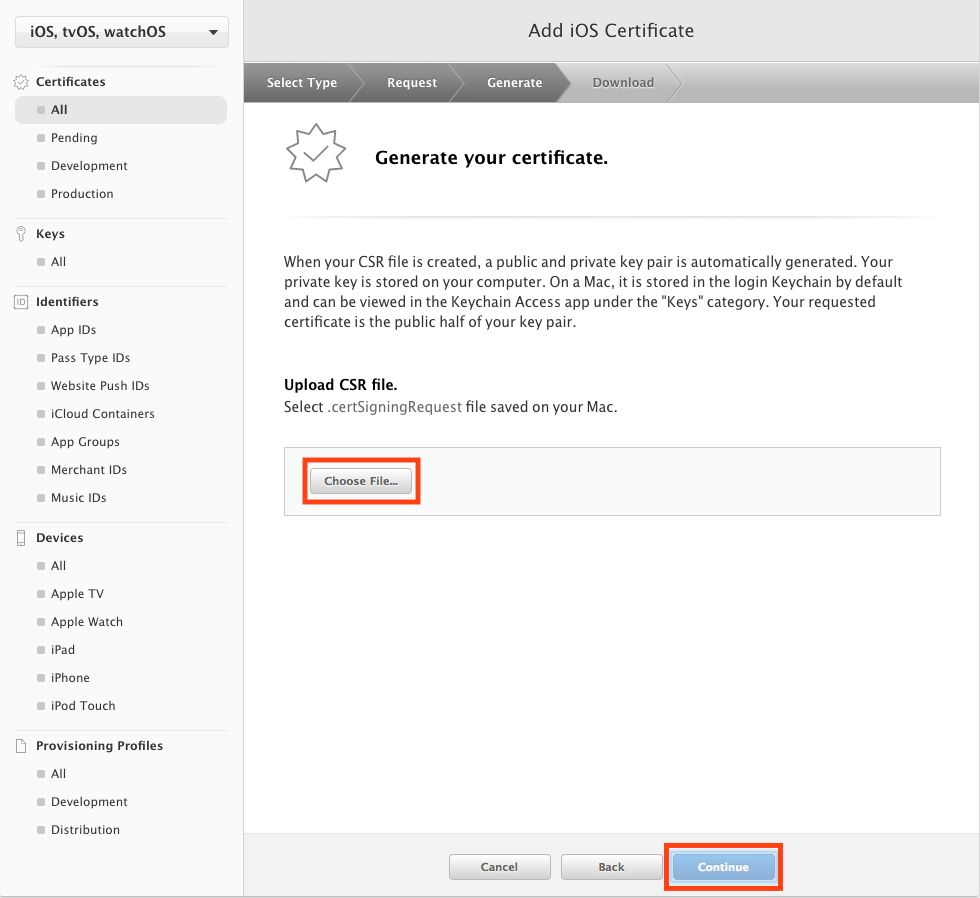
Note : You can follow our tutorial "How to get CSR File?" to easily obtain the CSR file
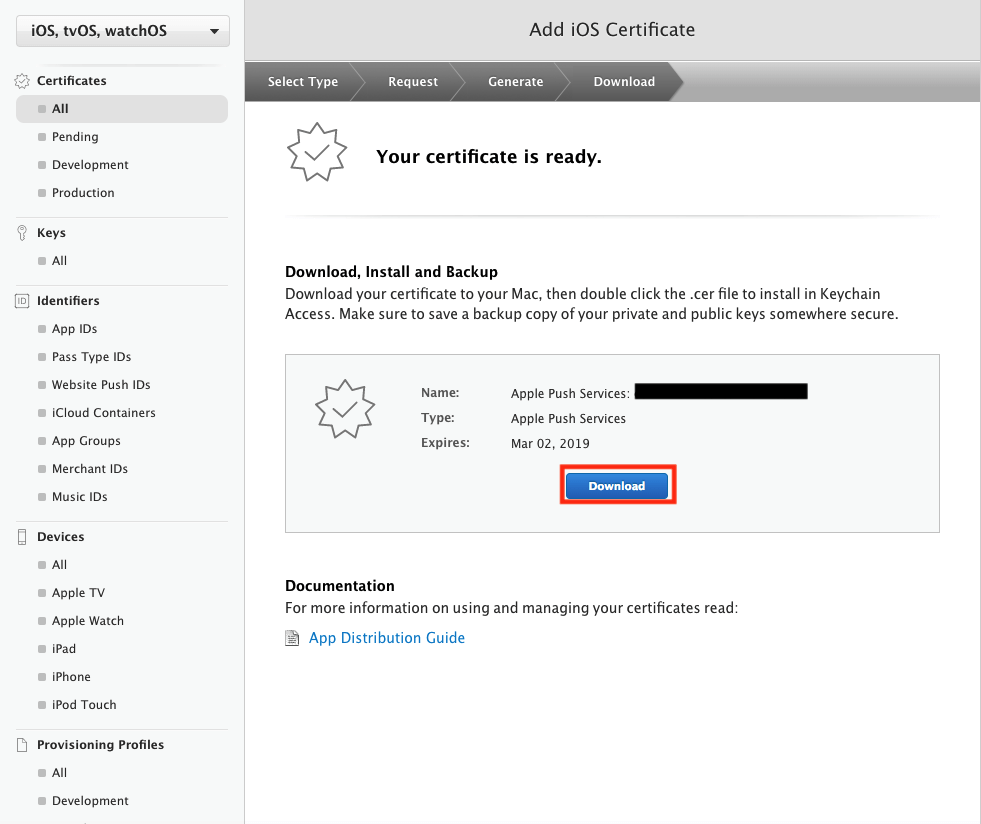
Step 10 : Click on Download to download the certificate
-
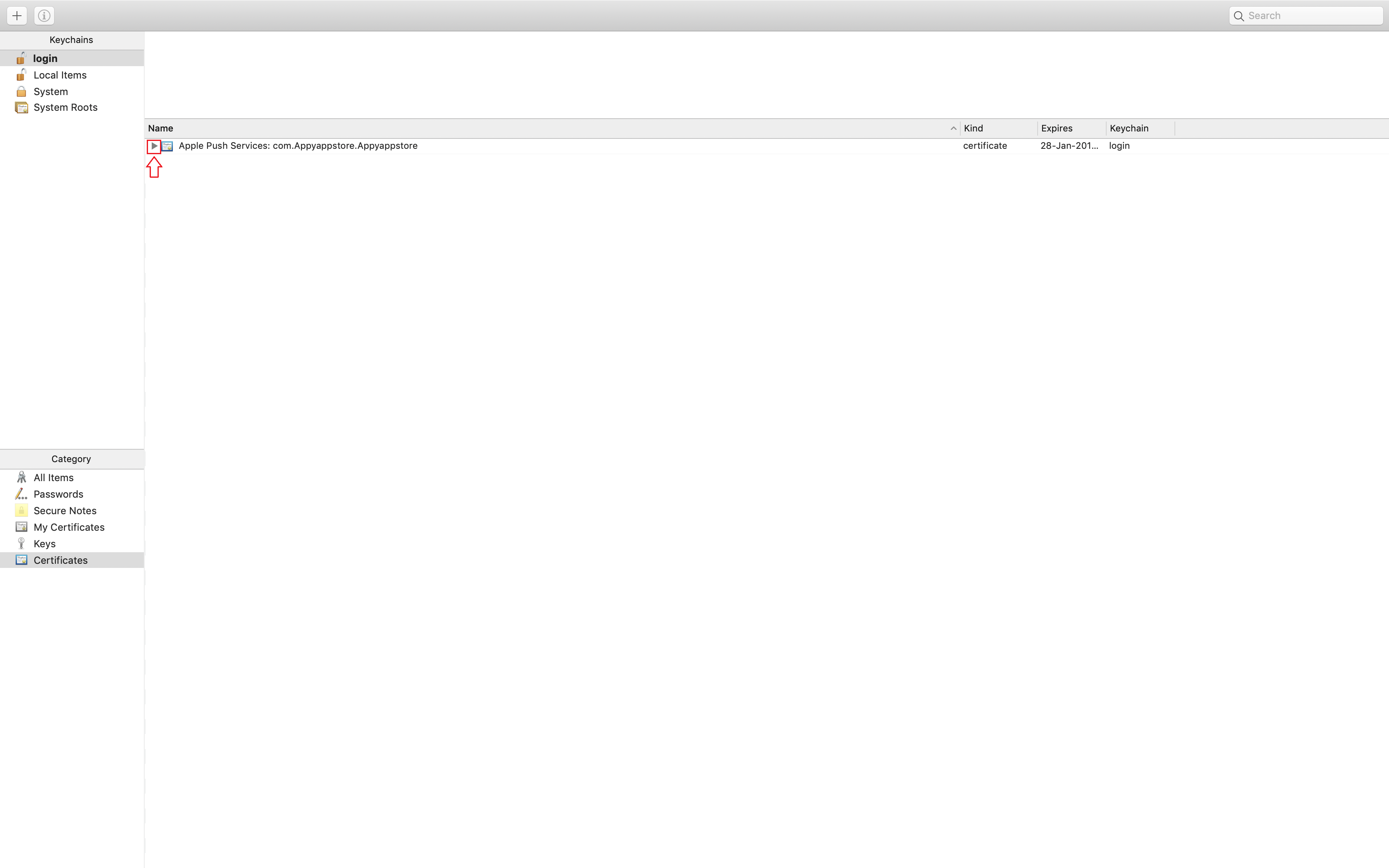
Once you have generated and downloaded your APN Certificate, double click on the .cer file and it will be saved to the keychain
-
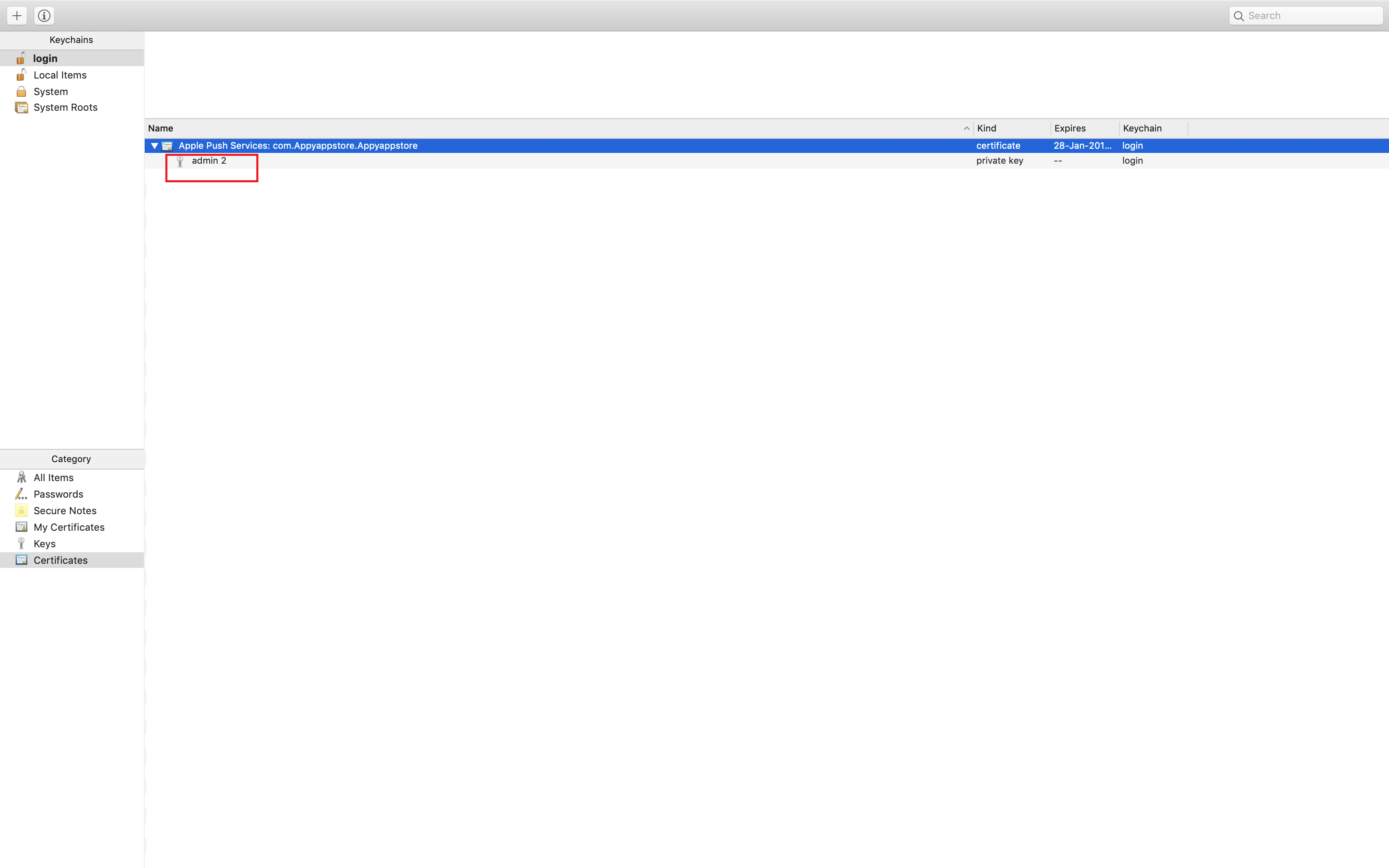
Select the appropriate file from the keychain
-
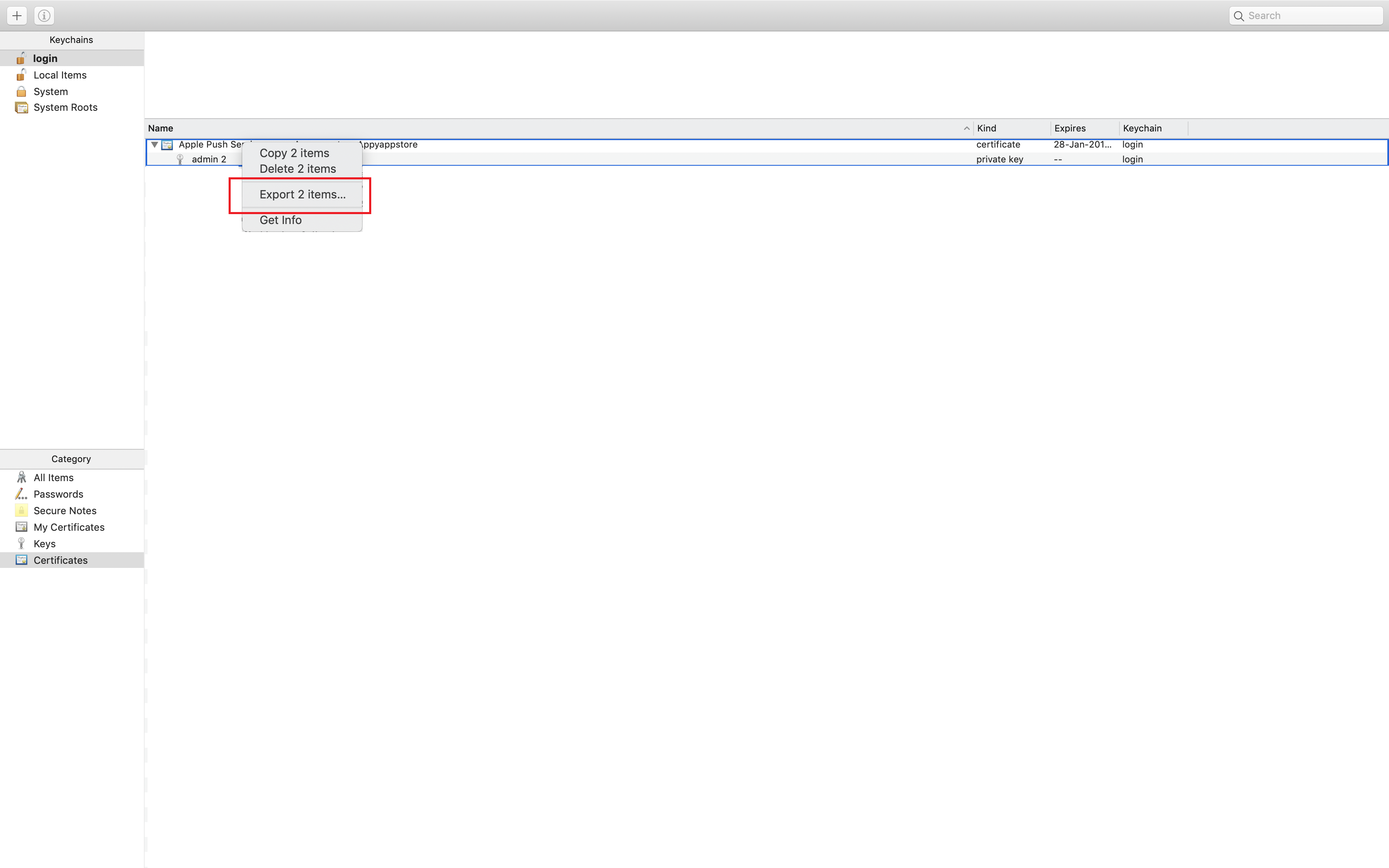
Right click on it and select Export Files
-
Save the files wherever you want
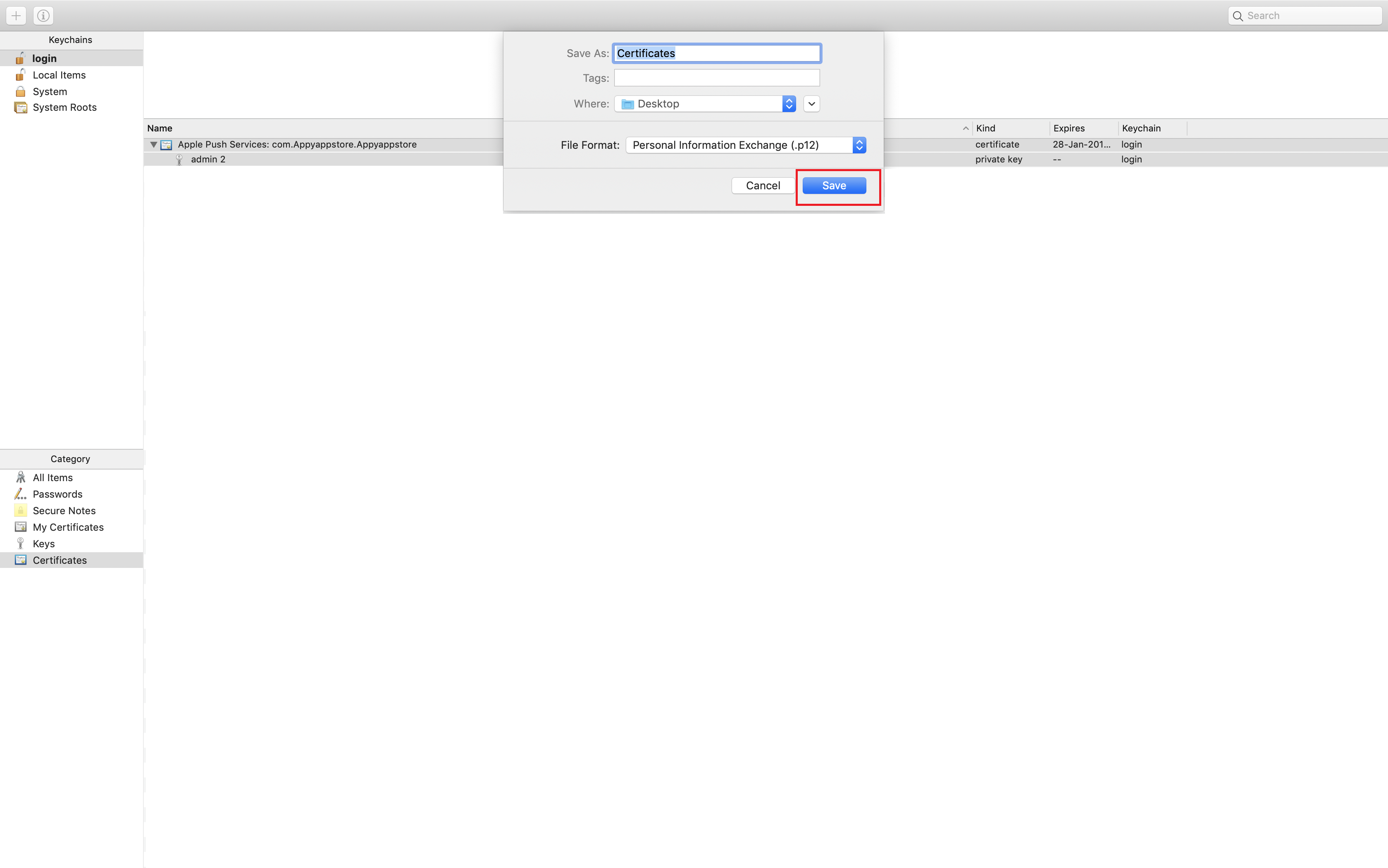
-
A popup will appear asking the password to protect the files, leave it blank and click on OK
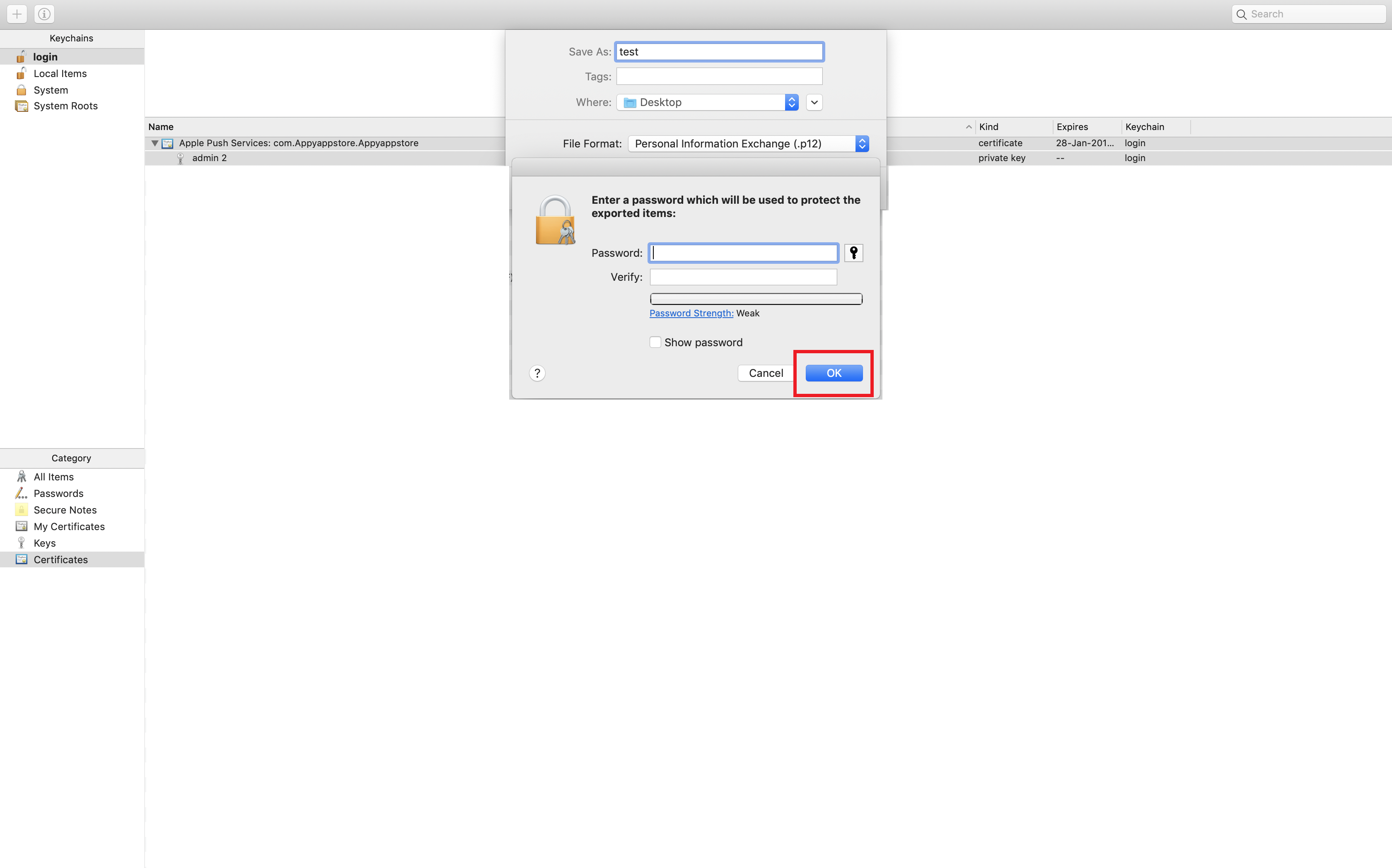
- Go to the location where you have saved the APN certificates and upload it on Sinch
Questo articolo è stato utile
Questo articolo è stato utile
Grazie per il tuo feedback!
- Aderire
- Registrati
