
Quale attività vuoi creare?


How to set up your Business Email in Apple® Mail on your Mac computer.
You can set up your Business Email in Apple® Mail on your Mac computer.
Step 1 : Open Apple Mail.
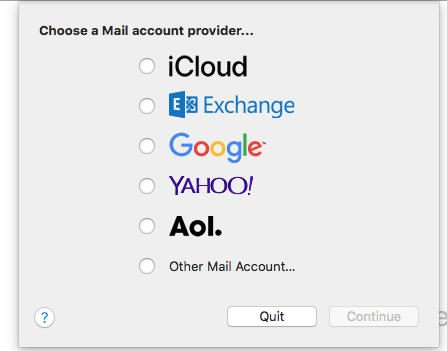
Step 2 : Select Other Mail Account, and click Continue.
Step 3 : Complete the following fields:

Step 4 : Click Sign In

Step 5 : You may get a screen with the message Unable to verify account name or password. Complete the following fields:

Step 6 : Click Sign In

Step 7: Select the apps your want to use with this Business Email account. You must at least check Mail.

Step 8: Click Done

Questo articolo è stato utile
Questo articolo è stato utile
Grazie per il tuo feedback!
- Aderire
- Registrati

Benvenuto ospite!